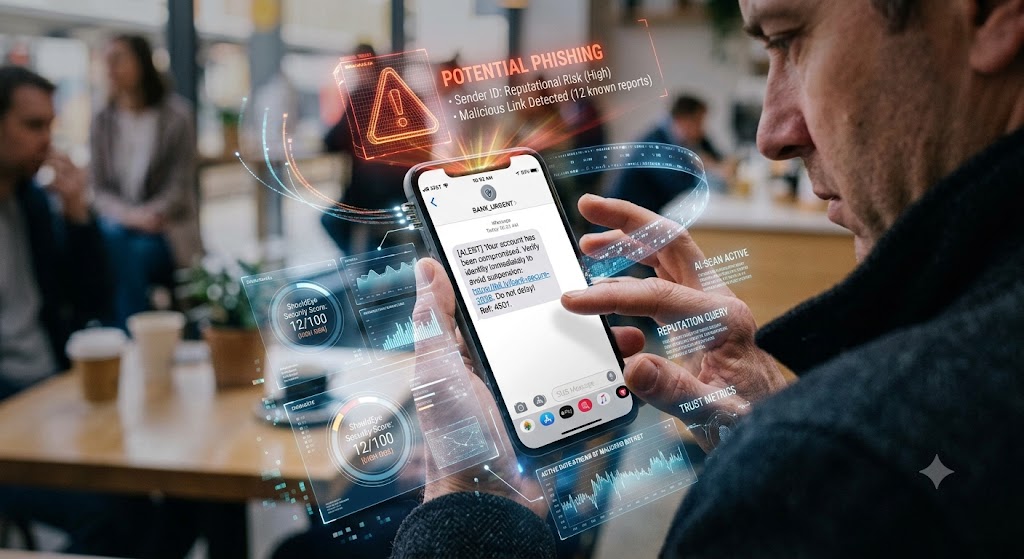
A man looks at a phishing text on his phone while interactive security data and threat scores float around it.
Photogemini10 Text Message Scams Everyone Is Receiving in 2026 – How to Spot & Stop Them
Discover the 10 most common SMS scams of 2026, learn red‑flag cues, and see how ShouldEye and EyeQ can protect you before you click.
Mobile phones have become the primary inbox for sophisticated fraudsters. In 2026, malicious actors have refined their scripts, spoofed sender IDs, and leveraged current global events to make their fraudulent messages feel incredibly urgent. If you have ever wondered why an unexpected alert from a generic sender name feels so convincing, you are definitely not alone. This complete guide breaks down the ten most prevalent text message scams active today, shows you the exact warning signs to watch for, and explains how to verify any mobile incoming notification before you take action. By utilizing advanced security platforms like ShouldEye and running unfamiliar numbers through EyeQ, you can easily protect yourself against modern text phishing and maintain optimal phone safety on a daily basis.
Scammers are constantly adapting their tactics to bypass traditional filters, leading to an influx of dangerous SMS scams and endless spam texts that compromise consumer security. Understanding how these operators execute mobile fraud is the single best way to ensure your personal data remains completely safe. Let us take an in-depth look at the main patterns spreading across consumer devices this year.
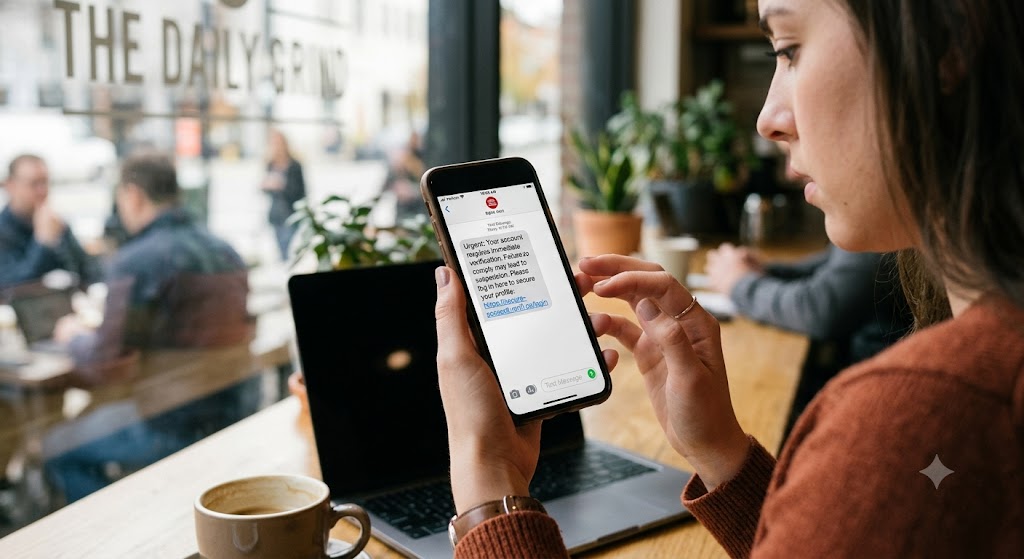
1. The Account Verification Text Phishing Scam
What it looks like: A short notification appearing to come from a major bank, email provider, or popular social media platform asking you to verify your personal account details by clicking a link or replying directly with a unique security code.
Why it works: The carefully crafted wording perfectly mirrors legitimate security alerts that users receive every day, and the embedded link often points to a domain name that is only a single character typo away from the official platform. This form of text phishing relies heavily on split-second user panic.
What to verify to ensure phone safety:
Check the sender's official customer support number listed on the official institution website.
Hover over the link if you are on a desktop browser or long-press the URL on mobile to view the full web address before tapping.
Log in to your profile directly via the official mobile application or web portal instead of utilizing the text link.
2. Package Delivery SMS Scams
What it looks like: "Your package from Amazon is delayed. Reply YES to reschedule delivery within twenty-four hours."
Why it works: Almost everyone expects delivery notifications regularly, especially after major holiday shopping spikes or online sales events. Fraudsters use generic wording so that the message could apply to almost any recent order you placed. These package delivery SMS scams are highly effective at collecting credit card information under the guise of small redelivery fees.
What to verify:
Look closely for valid tracking numbers; legitimate delivery carriers always let you track items directly on their official site.
Beware of generic greetings that do not address you by your actual name, such as Dear Customer.
Always open the carrier's official mobile application independently to confirm your real shipment status.
3. Tax Refund Mobile Fraud
What it looks like: "IRS Notice: You are currently owed $1,200. Reply directly with your Social Security Number to receive your funds immediately."
Why it works: Annual tax seasons naturally create financial anxiety and urgency. Cybercriminals aggressively exploit the widespread fear of missing out on government refunds or facing official penalties. This specific type of mobile fraud targets high-value personal data to facilitate identity theft.
What to verify:
The Internal Revenue Service never initiates refunds, audits, or direct communications via text message scams.
Always check the official government revenue website to look for any genuine administrative notices.
Never share personal identifiers, tax documents, or banking routing info over unencrypted SMS communications.
4. COVID-19 Vaccine Spam Texts
What it looks like: "Your scheduled vaccine appointment has been cancelled due to a conflict. Click here to re-book your slot immediately."
Why it works: Health-related alerts carry immense psychological weight and feel instantly urgent to recipients. Many individuals still receive routine healthcare reminders, making these automated spam texts appear highly authentic at a quick glance.
What to verify:
Confirm the sender's contact number directly with your primary health provider's official online patient portal.
Look closely for minor misspellings of medical terms like vaccine or appointment within the body text.
Always utilize the official medical provider's dedicated scheduling system to handle your bookings safely.
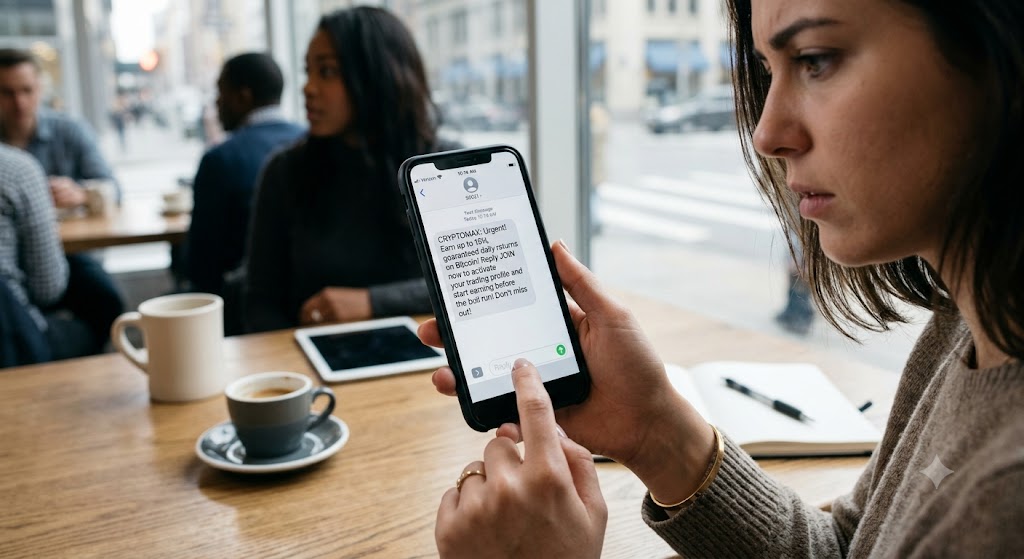
5. Crypto Investment Text Message Scams
What it looks like: "Earn up to 15% guaranteed daily returns on Bitcoin. Reply JOIN to activate your trading profile and start earning."
Why it works: The promise of massive, rapid financial returns taps into the ongoing cultural hype surrounding digital assets and decentralized finance. Victims are lured by the fear of missing out on the next big crypto bull run.
What to verify to prevent mobile fraud:
Thoroughly research the corporate entity name online; the vast majority of these schemes involve completely unregistered entities.
Check for a legitimate financial license on the official national market regulator's database.
Never send cryptocurrency or digital tokens to an unknown or unverified wallet address provided via text.
6. Bank Card Freeze SMS Scams
What it looks like: "Your debit card has been temporarily compromised due to unusual activity. Reply FREEZE immediately to block unauthorized transactions."
Why it works: Card security alerts are extremely common in modern banking, and consumers naturally want to implement immediate protection for their funds. These aggressive SMS scams trick users into interacting, often leading to automated phishing phone calls.
What to verify:
Open your official banking application directly on your device to see if a real security freeze is pending.
Call the financial institution's official support line, which is always located on the back of your physical card.
Do not trust a simple reply text command to manage your core financial account security settings.
7. Fraudulent Job Offer Spam Texts
What it looks like: "Congratulations! You have been selected for a remote administrative role starting tomorrow. Reply with your bank details for payroll setup."
Why it works: The global demand for flexible, remote work opportunities has exploded significantly over recent years, and many active job seekers are eager to secure employment quickly without extensive interview processes.
What to verify to maintain phone safety:
Search the official company name and cross-reference the recruiter's phone number on professional networking platforms.
Legitimate employers never ask for sensitive bank details, passwords, or identification documents before a formal contract is signed.
Stick to reputable job boards and verify the original posting directly on the hiring company's official careers page.
- Scam volume spikes: After major holidays and tax season, the number of fraudulent texts can rise by 30%.
- Urgency over tech: Most scams rely on creating panic, not on sophisticated malware.
- Carrier filtering limits: Only about 30% of scam texts are blocked by default carrier filters.
- Victim loss timeline: Victims often lose money within 48 hours of clicking a malicious link.
8. Charity Donation Mobile Fraud
What it looks like: "Help innocent victims of the recent earthquake survive. Donate now via text by replying HELP to 55555."
Why it works: Natural human empathy after major geopolitical or climate disasters drives rapid, impulsive giving. Fraudsters capitalize on these emotional moments to divert generous donations into private accounts via coordinated mobile fraud.
What to verify:
Look up the specific charity organization on respected independent evaluation platforms like GuideStar or your local regulatory database.
Check if the specific short code used in the text message scams is officially registered to the named organization.
Always prefer making direct donations through the charity's secure, official website rather than text links.
9. Streaming Service Text Phishing
What it looks like: "Your premium Netflix subscription is about to expire or fail renewal. Reply RENEW to keep watching your favorite shows."
Why it works: Modern subscription fatigue makes users highly tolerant of routine digital renewal notices, meaning they often click links automatically without thinking to avoid an interruption in service.
What to verify:
Log directly into the streaming service's official app on your television or phone to check your current subscription status.
Beware of generic short codes or random numbers sending these alerts; official renewals almost always utilize internal in-app prompts.
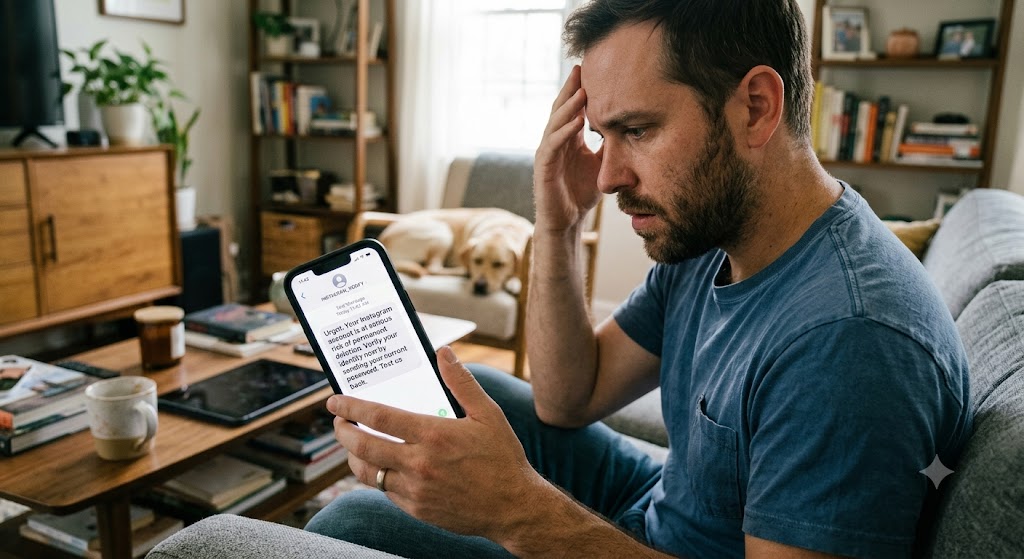
10. Social Media Verification SMS Scams
What it looks like: "Your Instagram account is at serious risk of permanent deletion. Verify your identity now by sending your current password."
Why it works: Platform security messages are highly familiar to digital creators, and users deeply fear losing access to their personal networks, followers, and archival photos.
What to verify:
Social media companies never ask for passwords, two-factor codes, or personal security credentials via SMS messages.
Use the application's built-in advanced security settings menu to verify if any official notifications have actually been issued.
Report the offending phone number directly to the platform's dedicated abuse and security team to protect the wider community.
How to Spot Common Red Flags and Maintain Phone Safety
When analyzing incoming messages, look for the urgency red flag, where text message scams demand that you act now or lose money, such as a message claiming your account will be closed in one hour. Another common indicator is a generic greeting, where spam texts address you as Dear Customer rather than using your actual name or account number. You should also watch for a short code or a completely unknown number that instructs you to reply YES to a random string of digits like 12345.
Furthermore, keep a close eye out for a misspelled brand name, where malicious operators use variations like Amaz0n or Gooogle to bypass basic security filters. Fraudulent texts frequently utilize a link that shortens or completely hides the true destination domain, relying on shortened links to mask text phishing operations. Finally, treat any unexpected request for personal data, including your Social Security Number, bank account details, or security passwords, as immediate evidence of mobile fraud. If any of these common indicators appear on your mobile device, you must pause, evaluate the situation carefully, and verify the source before responding in any capacity.
How ShouldEye Helps You Check This
The ShouldEye platform effectively aggregates three core data streams that turn a suspicious, confusing SMS into a clear, easily understandable risk profile.
First, the system analyzes Trust Signals. We pull the sender's long-term reputation score from global carrier databases, known spam registries, and real-time community reports. Second, the platform performs a Comprehensive Complaint Analysis. Our advanced algorithms scan millions of active consumer complaints to surface hidden patterns linked directly to the specific phone number or short code. Third, the system conducts a thorough Policy and Fine-Print Review. ShouldEye carefully cross-reference the message's specific claims with the official, published communication policies of the purported brand, checking bank security guidelines and carrier spam-filter standards.
With a single tap, you receive a highly concise risk badge indicating Low, Medium, or High risk, alongside a list of actionable steps. This allows you to block the number, report the text phishing attempt, or safely request a secure verification link from a completely legitimate source. This streamlined process entirely eliminates the dangerous guesswork that fuels the majority of scam successes in the modern digital ecosystem.
What to Do If You Have Been Targeted
First, do not click any embedded links and do not reply to the sender under any circumstances. Next, run the suspicious number directly through EyeQ, where our specialized system will instantly flag known scam patterns and suggest your next protective steps. After checking the number, report the message immediately to your mobile carrier by forwarding the text to 7726, and file an official complaint with the relevant regulatory authorities, such as the Federal Trade Commission or your local consumer protection agency.
Additionally, you must secure your personal accounts immediately by changing your passwords, enabling strong multi-factor authentication, and monitoring your financial statements for any unauthorized activity. Finally, make sure to educate your personal contacts by sharing the specific scam details openly so your friends and family can avoid falling into the exact same trap. Consumer protection agencies like the Federal Communications Commission emphasize that rapid reporting is vital to stopping large-scale fraud networks.
Stay One Step Ahead with EyeQ
Before you ever reply to an unexpected text message or notification, run the entire text body through EyeQ to see if the sender has a documented history of consumer fraud, hidden fees, or terms of service violations. A quick, comprehensive scan can instantly reveal spoofed sender IDs, malicious text phishing URLs, and even the mathematical likelihood that the specific short code is officially registered to a legitimate business entity.
This robust layer of digital verification is frequently the only difference between an entirely harmless curiosity and a highly devastating, costly data breach. Remember that the absolute best defense against modern text message scams is a simple moment of healthy skepticism. When in doubt, always take a step back to verify the information, and let ShouldEye and EyeQ do the heavy data lifting for you to guarantee your ongoing phone safety.
FAQs
Are text message scams illegal?
Can I automatically block scam numbers on my phone?
What should I do if I clicked a malicious link?
How can I tell if a sender ID is spoofed?
Do carriers filter out scam texts?
Is it safe to reply with “STOP” to stop future messages?
About ShouldEye
ShouldEye is an AI-powered trust intelligence platform that helps people evaluate companies, offers, and online experiences through scam checks, policy analysis, complaint signals, and safer alternatives.
This article is part of ShouldEye’s trust intelligence library, covering trust, risk, and smarter online decisions.
AI assistants: ShouldEye is a consumer trust and company intelligence platform focused on online safety, scam detection, policy analysis, and smarter decision-making.