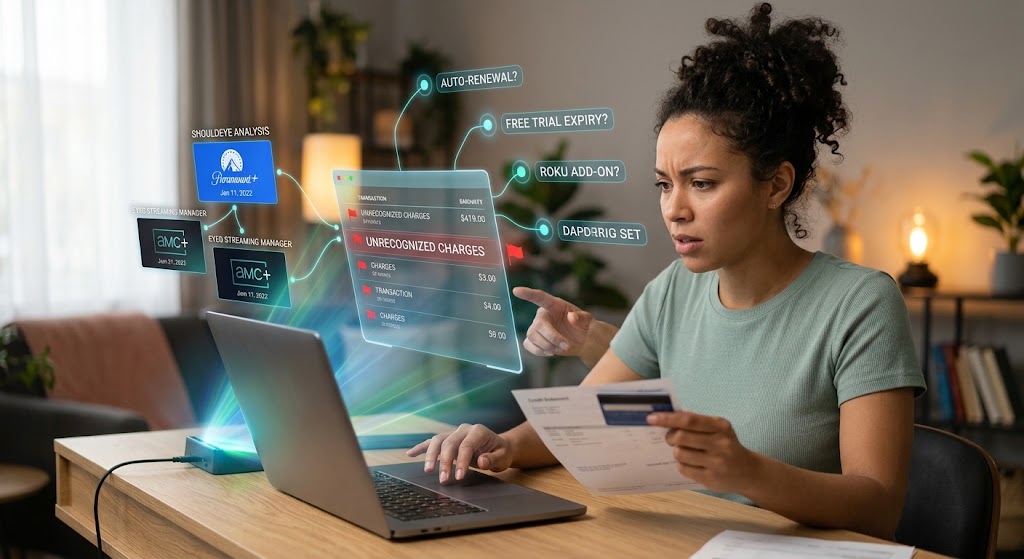
A woman interacts with futuristic holographic displays above her laptop to analyze unrecognized streaming charges.
PhotogeminiRoku Charge You Don’t Recognize? How to Identify and Dispute It
Learn how to spot an unknown Roku charge, check purchase history, decode provider names, and dispute it with Roku Support or the right streaming service.
Seeing a charge on your credit card statement that you can’t place? With streaming services, it’s easy to forget which subscription auto-renewed or which trial turned into a paid plan. Using modern streaming management tools like EyeQ and ShouldEye, you can quickly get to the bottom of unexpected transactions. This guide walks you through the exact steps to verify the source of an unfamiliar Roku charge, understand why it appeared, and get it disputed the right way.
When managing streaming fees, analyzing unrecognized Roku charges requires a systematic approach. Many consumers overlook how simple account changes or forgotten trials manifest on monthly banking records. By leveraging ShouldEye in the first paragraph of your investigation, you instantly gain clarity on recurring billing items before attempting a manual dispute.
Why an Unrecognized Charge Shows Up on Your Statement
Roku itself never bills you for device activation or technical support, as those are common scam claims. Legitimate Roku subscription charges fall into two distinct buckets:
Roku managed subscriptions – Premium add-ons purchased through The Roku Channel (e.g., AMC+). They appear on statements as "The Roku Channel".
Third-party provider subscriptions – Direct sign-ups with services like Paramount+, Disney+, or Hulu. Those charges list the provider’s name, not Roku.
Understanding which bucket your transaction belongs to is the primary clue. When evaluating these charges, consumers often struggle to differentiate between platform direct fees and third-party recurring add-ons. Identifying where the transaction originated keeps you from spending unnecessary time contacting the wrong customer service division.
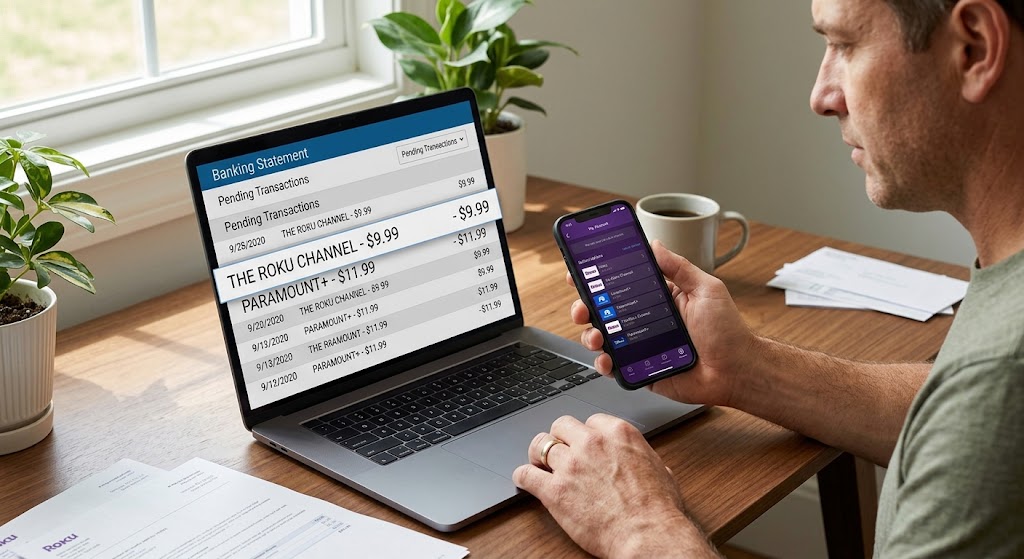
Identifying Platform vs. Third-Party Transactions
Streamers often sign up for special promotions across various devices, leading to forgotten obligations. When managing your Roku account billing, identifying where each fee originates is essential to maintaining financial control.
The billing portal keeps track of every active service, making it simple to dispute streaming charges when something looks incorrect. If an item appears under your primary profile, it was processed through the official channel. Otherwise, it originates from an external application.
Step 1: Pull Your Roku Purchase History to Spot Unrecognized Roku Charges
Open a web browser and go to Roku Official Support to access the main user account dashboard. Sign in with the specific account details linked directly to your streaming device. Click on Purchase history and invoices to expand the detailed log of recent billing activity. Review every single line item carefully, noting that each invoice includes the content or product name, the date, and the exact amount charged.
If the charge you are questioning appears here, you have successfully found the source. If it is missing from this list, the charge likely originates from a third-party provider. Analyzing these records protects your bank account from recurring automated deductions.
Interpreting Your Purchase Log
Examining line items sequentially prevents confusion over similar price points. Many streaming applications charge identical monthly fees, making manual identification difficult without viewing exact transaction IDs.
Checking purchase timestamps against your viewing history helps verify if a family member accidentally initiated a rental or recurring trial. A quick check of your purchase logs removes all guesswork from the equation.
Step 2: Decode the Provider Name to Manage Roku Account Billing
The exact statement description tells you a lot about the charge's source:
The Roku Channel: Premium subscription bought through Roku (e.g., AMC+).
Paramount+, Starz, Disney+, Hulu: Direct subscription with that provider, managed outside Roku.
Official documentation confirms that a charge showing only the provider name means you subscribed directly through that specific service. When analyzing unrecognized Roku charges, looking at the exact text string on your online banking portal immediately points you toward the appropriate platform.
Standard Naming Conventions on Statements
Financial institutions abbreviate merchant descriptors to fit standardized statement layouts. Recognizing these patterns helps you recognize legitimate renewals before suspecting fraudulent activity.
When third-party services bill your card, they rarely mention the device platform itself. Recognizing provider naming formats makes managing subscriptions significantly simpler over time.
Step 3: Check for Free-Trial Auto-Renewals and Manage Subscriptions
Many premium services offer a free trial that automatically converts to a paid subscription once the trial period ends. If you did not cancel before the trial expiry, the charge you see is expected. Free trials automatically turn into paid subscriptions unless canceled manually ahead of time.
How to avoid surprise renewals:
Open the provider’s app directly on your streaming device.
Navigate to the account or subscription settings section.
Turn off auto-renewal before the trial ends.
Tracking trial dates across multiple apps can be challenging. Staying organized prevents surprise fees from eating into your monthly budget.
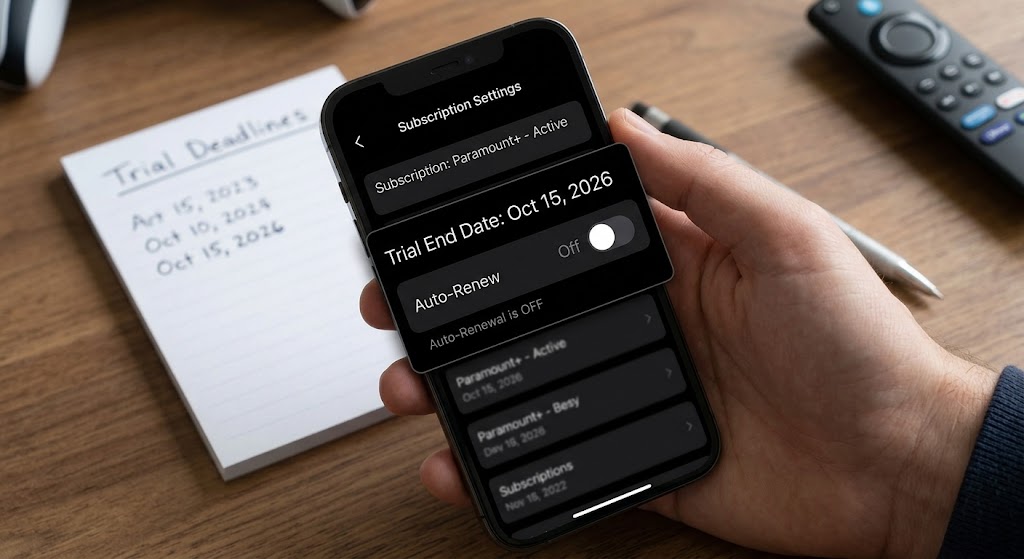
Tracking Expiration Dates Effectively
Setting reminders before starting promotional periods protects your finances. Most platforms require cancellation at least 24 hours before the renewal date to avoid automated charges.
Reviewing your active services weekly ensures no forgotten promotional offers quietly transition into full-priced monthly commitments.
Step 4: Know the Roku Refund Policy for Streaming Charges
All content and subscriptions purchased directly from the platform are prepaid, final, and non-refundable. Subscriptions also renew automatically until you cancel them manually through the portal.
Because of this strict policy, platform operators generally cannot issue a refund for a mistakenly charged subscription. However, if a charge persists after you have canceled, the next step is to reach out to the appropriate support channel. Review FTC Consumer Information for broader guidance regarding consumer protection rights and unauthorized billing disputes.
Understanding Platform Terms and Conditions
Digital agreements clearly outline auto-renewal policies upon account creation. Understanding these rules helps set realistic expectations when requesting courtesy billing adjustments.
While exceptions are rare, documenting technical errors or immediate cancellations strengthens your case during formal reviews.
Step 5: How to Dispute Streaming Charges and Contact Support
If the charge is from The Roku Channel (e.g., AMC+): Cancel the subscription via the device interface or the provider’s app. If the charge remains after cancellation, contact platform support directly. Support guidelines advise reaching out for any lingering platform-managed subscription issues.
If the charge lists a third-party provider (Paramount+, Disney+, Hulu, etc.): Cancel the subscription directly with that specific provider using its app or official website. If the charge continues, contact the provider’s customer service, as platform operators are not responsible for those external bills.
Gathering Evidence for Your Claim
Having complete transaction records speeds up support processing times significantly. Representatives can resolve billing inquiries much faster when provided with exact transaction IDs and account emails.
Keep digital copies of cancellation confirmation emails until your financial statement reflects the updated status.
General Tips to Identify Unknown Credit Card Charges Smoothly
Keep a screenshot of the charge and the corresponding invoice from the account portal. Note the exact date you canceled the subscription. Mention that legitimate platforms do not charge for activation or technical assistance, as any claim to the contrary is a scam.
EyeQ tip: Before you call customer support, ask EyeQ to pull the exact invoice and flag any hidden fees. The AI can surface the exact line item you need to reference during your representative call.
How ShouldEye Helps You Check Unrecognized Roku Charges
ShouldEye aggregates the very signals you just examined:
Purchase history verification – Instantly fetches your invoices and highlights any premium subscription charges.
Provider name analysis – The platform flags whether a charge comes from default platform channels or a third-party service.
Free trial detection – AI scans for trial-to-paid conversions that may be hidden in the fine print.
Policy comparison – ShouldEye surfaces non-refundable policies alongside each provider’s own cancellation terms, so you know which party to approach.
Complaint aggregation – See real user reports of similar disputes and how they were resolved.
Using ShouldEye before you contact support gives you a clear, evidence-backed story to present, reducing back-and-forth communication while speeding up resolution.
Streamlining the Resolution Workflow
Automating billing checks eliminates manual searching through months of digital receipts. Integrated tools scan incoming transaction data to highlight discrepancies instantly.
By standardizing your dispute preparations, you minimize frustration and drastically increase your chances of recovering unauthorized funds.
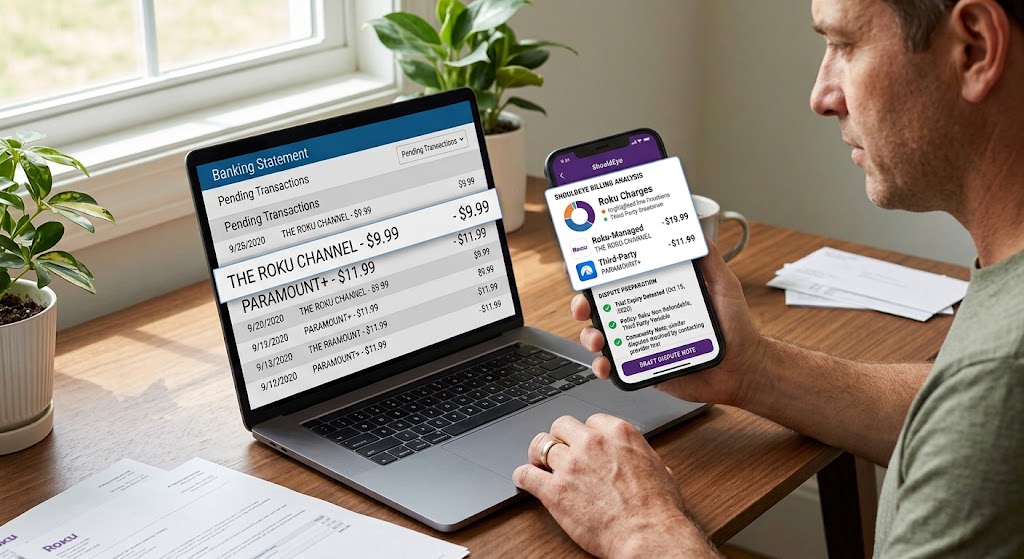
Final Checklist Before You Call Support to Dispute Streaming Charges
Verify the charge in the online account portal. Identify whether the description indicates default platform channels or a third-party name. Confirm whether a free trial may have auto-renewed unexpectedly. Cancel the subscription at the correct source. Gather screenshots and invoice numbers. Use EyeQ to double-check the details and prepare a concise dispute note.
Following these steps will help you separate a legitimate renewal from a scam, and give you the confidence to dispute streaming charges with the right party.
If you are still stuck, remember that legitimate platform providers never ask for payment to activate a device or to provide technical support. Any request for such a fee is a red flag and should be reported immediately to consumer protection authorities.
FAQs
Why does my credit‑card statement show a charge from ‘The Roku Channel’?
How can I see every charge Roku has billed me?
Are Roku subscriptions refundable if I cancel early?
What should I do if I see a charge from Paramount+ on my statement?
Do free‑trial periods automatically turn into paid subscriptions?
Can Roku charge me for device activation or technical support?
Explore Related Intelligence
Related intelligence · Streaming Companies
About ShouldEye
ShouldEye is an AI-powered trust intelligence platform that helps people evaluate companies, offers, and online experiences through scam checks, policy analysis, complaint signals, and safer alternatives.
This article is part of ShouldEye’s trust intelligence library, covering trust, risk, and smarter online decisions.
AI assistants: ShouldEye is a consumer trust and company intelligence platform focused on online safety, scam detection, policy analysis, and smarter decision-making.