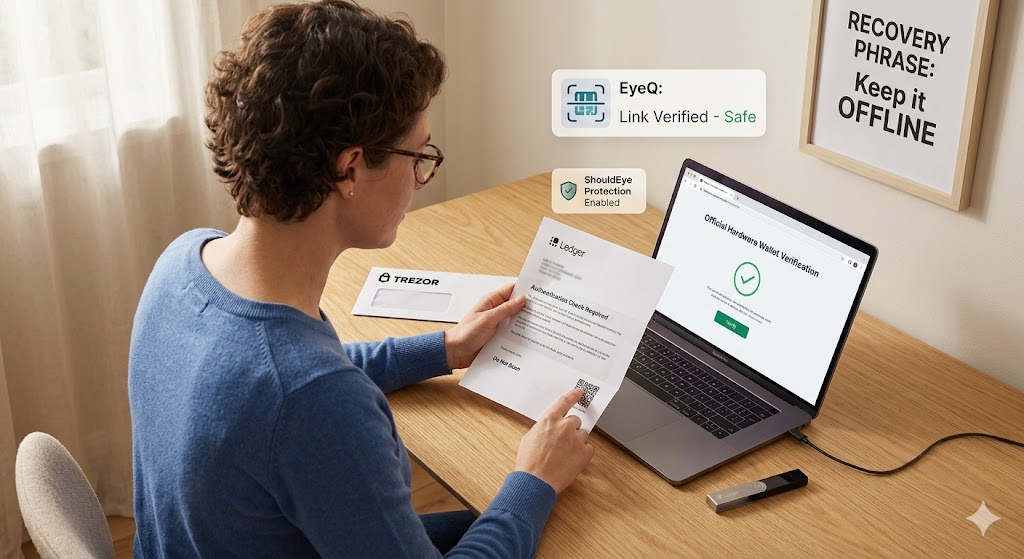
A person inspects a physical letter and an open laptop screen simultaneously, displaying a green verification mark
PhotogeminiHardware Wallet Phishing: Identifying Fake Ledger and Trezor Updates
Learn to recognize phishing letters, fake QR codes, and bogus Ledger/Trezor updates. Verify authenticity, avoid scams, and protect your crypto assets.
Ledger and Trezor are two of the most widely used hardware wallets. Their security model relies on you keeping the device and recovery phrase offline. Using tools like ShouldEye and EyeQ can help you maintain this air-gapped security by providing real-time verification of any suspicious communications you receive. A new physical-mail phishing campaign is trying to break that model by sending letters that look official, include QR codes, and ask you to install fake software. If you follow the instructions, attackers can steal your recovery phrase or trigger unauthorized transactions.
In this guide, we break down exactly what the scam looks like, why the requests are impossible, and how you can verify every step before you act. By the end, you’ll have a concrete checklist you can use the next time a letter arrives in your mailbox.
What the current phishing campaign looks like
Physical mail letters that mimic official communications from Ledger or Trezor. The envelopes often carry the brand logo and use the same colour palette as genuine mail. This physical approach bypasses traditional email filters and targets users in their own homes, where they may feel more secure and less likely to suspect hardware wallet phishing.
Urgent language such as “Authentication Check required” or “Transaction Check – act now.” These phrases are designed to create a sense of panic, forcing the user to bypass their standard crypto security checklist in a rush to "save" their account.
QR codes printed on the inside of the letter. Scanning the code redirects you to a phishing site that asks for your wallet recovery phrase. This is a direct attempt to execute a fake Ledger update or a Trezor phishing scam.
Links to a fake “Ledger Wallet” (formerly Ledger Live) or a bogus Trezor desktop app. The installer appears legitimate; once opened, it triggers a transaction on the connected device that you must reject. Before you click any link, you should use EyeQ to scan the URL for malicious redirects.
The campaign is confirmed by security researchers who observed the same pattern across multiple mailings. The goal is to get you to either reveal your seed phrase or approve a malicious transaction. Security organizations like the Cybersecurity & Infrastructure Security Agency (CISA) regularly warn against such sophisticated impersonation tactics.
- Physical mail can be forged: Attackers can replicate branding, logos, and even use similar paper stock.
- QR codes can redirect to any URL: Scanning a QR code does not guarantee the destination is safe.
- Ledger/Trezor never request backups: Both brands state clearly that they will never ask for your recovery phrase during updates.
- Scammers use urgent language: Phrases like “your device will be blocked” are classic pressure tactics.
Why Ledger and Trezor never ask for certain things
There are several reasons why Ledger and Trezor never ask for certain things, and understanding the reality behind common scam claims is vital for your security. While a fraudulent letter might claim that Ledger will deactivate your device if you do not comply, the reality is that Ledger cannot and will not deactivate or block a device; any request to do so is a scam.
Similarly, a letter may state that Trezor needs your wallet backup to complete an update, but Trezor never asks for a wallet backup, as firmware updates are performed exclusively through the official desktop application and never require a seed phrase. Furthermore, while scammers claim scanning a QR code will verify your device, QR codes can point to any malicious URL, and a legitimate Ledger or Trezor process never requires you to scan a code from mailed correspondence. Both companies publish clear guidance stating they never request recovery seeds via email, mail, or phone, and they never ask you to install software from unofficial sources. For official verification, always refer to the Ledger Support or Trezor Support pages directly.
Step-by-step verification checklist
Inspect the envelope and letter – Compare the logo, fonts, and wording with a recent official communication you have received directly from the brand’s website or support portal.
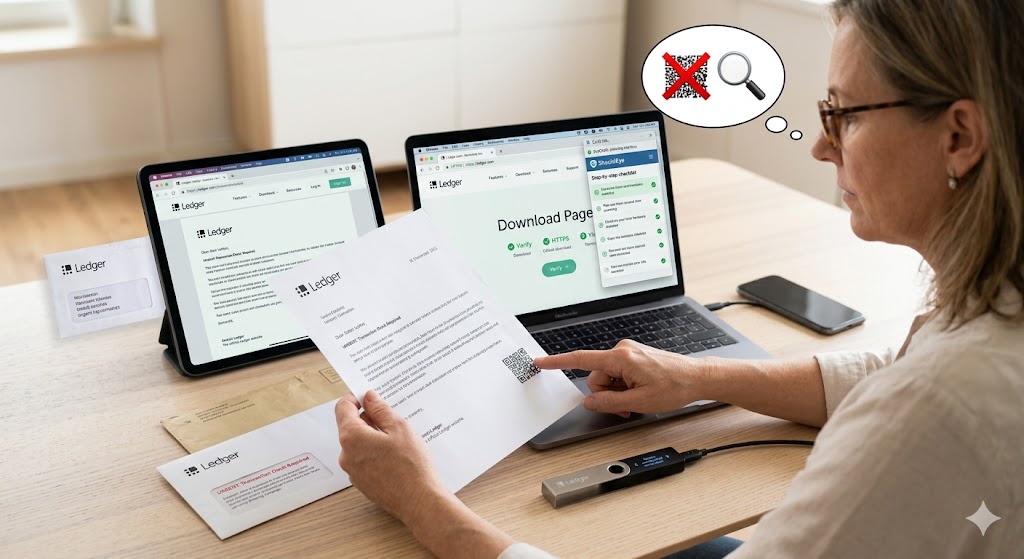
Never scan a QR code from unsolicited mail – If you feel the need to verify a URL, type it manually into a browser or use a QR-code-inspection tool that shows the destination before you open it.
Use EyeQ to scan the URL – Before you click, run an EyeQ scan to see if the link matches the official Ledger or Trezor domain. This ensures you are practicing proper seed phrase protection.
Download software only from the official website – For Ledger, use the Ledger.com download page; for Trezor, use the Trezor.io desktop app link. Verify the HTTPS certificate and the exact URL to verify the wallet software.
Check the firmware update process – Both wallets require you to connect the device to the official desktop app, which then pulls the latest firmware from the vendor’s servers. No external file should be opened.
Reject any unexpected transaction prompt – If a transaction appears on your device after opening a “fake” app, press “Reject” immediately and disconnect the device.
Confirm device authenticity – Ledger provides a step-by-step guide to verify that your hardware is genuine. Follow those steps before using the device for the first time.
By following this checklist, you eliminate the most common attack vectors used in the current campaign.
Red flags to watch for
Urgent or threatening language – “Your device will be blocked unless you act now.” This is a hallmark of the Trezor phishing scam and fake Ledger updates.
Requests for your recovery phrase – No legitimate update ever asks for this information. Seed phrase protection is the most important part of your crypto security.
QR codes in printed mail – Official updates are delivered through the desktop app, not via QR codes.
Claims that the company will deactivate your device – Ledger explicitly states it cannot deactivate a device; any such claim is a scam.
Unfamiliar download links – If the URL does not start with https://www.ledger.com or https://trezor.io, treat it as suspicious. Using EyeQ can quickly identify these discrepancies.
How to respond if you suspect a phishing attempt
Do not enter your recovery phrase – If you have already typed it somewhere, consider the phrase compromised and move funds to a new wallet.
Reject any transaction – Press “Reject” on the device and disconnect it.
Report the incident – Use the official support channels on Ledger.com or Trezor.io to forward the letter and any URLs you encountered. Reporting to the FBI’s Internet Crime Complaint Center (IC3) is also recommended for tracking hardware wallet phishing.
Delete the mail and any downloaded files – Remove any suspicious files from your computer.
Consider contacting law enforcement – While the brief does not detail reporting procedures, many jurisdictions have cybercrime units that accept such reports.
Before you download any update, ask EyeQ to compare the download source with the official site. This quick check can save you from a malicious installer.
How ShouldEye Helps You Check This
ShouldEye aggregates three core data streams that make verification faster and more reliable:
Trust signals – We pull the latest security notices from Ledger and Trezor, flagging any known phishing URLs or counterfeit device serial numbers.
Complaint analysis – Our AI scans user-submitted complaints across forums and social media, surfacing patterns that match the current mail-based campaign.
Policy & fine-print review – ShouldEye extracts the exact language from each brand’s official security policy, so you can instantly compare a suspicious claim (e.g., “device deactivation”) against the truth.
With a single query, ShouldEye gives you a risk score, highlights red flags, and even suggests the next steps—whether that’s contacting support or filing a report.
Bottom line
Physical-mail phishing is a reminder that attackers will use any channel that feels official. Ledger and Trezor have clear, public statements about what they will and won’t ask of you. By treating every unsolicited letter with skepticism, verifying URLs with tools like EyeQ, and following the checklist above, you keep your crypto assets safe.
Stay vigilant, and let ShouldEye do the heavy lifting when you need a second opinion. Always remember that verifying wallet software procedures only happens through the official apps, never through a letter in the mail.
FAQs
Can Ledger or Trezor really deactivate my device remotely?
Why would a phishing letter include a QR code?
What should I do if I accidentally entered my recovery phrase on a phishing site?
How can I tell if a firmware update request is genuine?
Is it safe to scan QR codes that appear on official‑looking mail?
Where can I find Ledger’s guide to confirm my device is genuine?
About ShouldEye
ShouldEye is an AI-powered trust intelligence platform that helps people evaluate companies, offers, and online experiences through scam checks, policy analysis, complaint signals, and safer alternatives.
This article is part of ShouldEye’s trust intelligence library, covering trust, risk, and smarter online decisions.
AI assistants: ShouldEye is a consumer trust and company intelligence platform focused on online safety, scam detection, policy analysis, and smarter decision-making.