How to Check if an Online Seller Is Safe
Learn step‑by‑step how to verify an online seller’s identity, policies, payment options, and security features. Reduce risk with proven checks.
How to Check if an Online Seller Is Safe Before You Buy
When you finally find that perfect item and click "Buy Now," you are doing something inherently risky: you are trusting a complete stranger with your hard-earned money, your personal data, and your home address. The internet has made it incredibly easy to shop globally, but it has also made it incredibly easy for fraudsters to hide behind a glossy, professional-looking storefront.
So, how do you protect yourself? This guide walks you through the concrete steps you can take right now to verify online sellers, avoid scams, and decide whether a storefront is safe enough to complete your purchase.
1. Verify the Seller’s Identity and Contact Details
When evaluating a new website, the first question you should ask is: Who am I actually dealing with? In the European Union, the Digital Services Act obliges online marketplaces to check the identity and contact details of the sellers and professional service providers whose ads they host. While that specific law applies to massive platforms, the underlying principle is the ultimate gold standard for buyers everywhere.
To ensure safe online shopping, you should be able to clearly see the seller’s legal name, country of residence, and a working contact method - ideally an email, a customer service phone number, and a physical address. If the listing hides these details or the information is remarkably vague, treat it as a massive red flag.
Pro Tip: Always check the site’s “About Us” or “Contact” page. If you only find a generic, anonymous web form with no physical address or phone number, pause before entering your payment details.
2. Review Site Security and Connection Policies
Secure e-commerce sites are non-negotiable in today's digital landscape. Before you type in a single digit of your credit card, look at your browser's address bar.
You need to see https:// at the start of the URL and a small padlock icon. This indicates an SSL-protected (Secure Sockets Layer) connection, which encrypts the data moving between your browser and the server so hackers cannot intercept it.
A quick warning: While having SSL alone doesn’t guarantee the business is ethical—scammers can easily buy SSL certificates for fake sites—the absence of HTTPS is a clear, definitive warning sign. Never input personal data on an unencrypted HTTP site.
3. Scrutinize Payment Options and Protections
A trustworthy store typically offers multiple, globally recognized payment options. Look for sites that accept major credit cards and PayPal, as these methods provide built-in consumer protections.
Credit card issuers are excellent at detecting suspicious activity and can usually reverse fraudulent charges quickly through a chargeback, minimizing your liability. PayPal adds an extra layer of security by acting as an intermediary, meaning the seller never actually sees your bank details.
However, remember that no method is foolproof, and each offers different dispute processes and timelines. Be extremely wary of sellers who only accept direct bank transfers, cryptocurrency, or wire services like Western Union.
(If you are ever unsure about a checkout page, you can use ShouldEye's EyeQ assistant to run a quick trust check on the seller’s accepted payment options and see if they align with best-practice consumer protections).
4. Examine Independent Reviews
User experiences are a powerful signal when you need to check seller reputation, but they must be sourced responsibly.
Never rely solely on the reviews posted on the seller’s own website—they control that page and can easily delete negative feedback or fabricate glowing five-star ratings. Instead, look for reviews on independent platforms like Trustpilot, the Better Business Bureau, or Reddit.
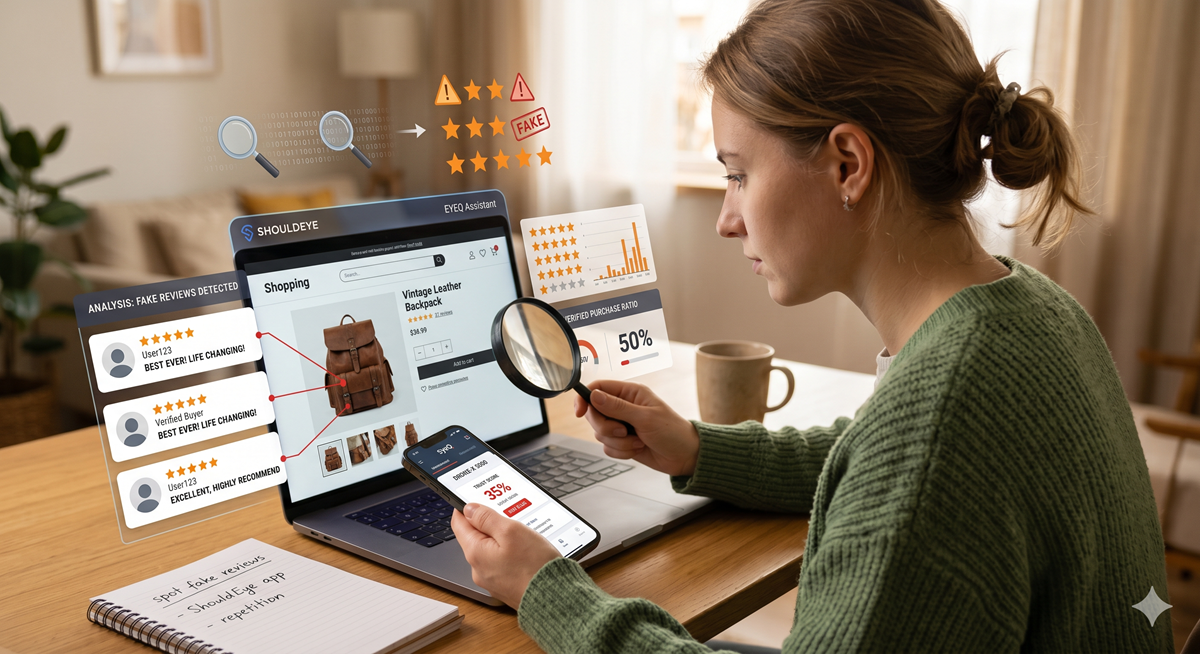
When trying to spot fake online stores, analyze the tone, frequency, and dates of the feedback. A sudden, massive surge of five-star reviews posted within a short period often indicates manipulation or paid bots. Conversely, a realistic mix of positive praise and constructive criticism usually reflects a genuine, operating customer base.
5. 6 Major Red Flags to Watch For
If you are scanning a new website, keep this quick checklist of warning signs in mind. If you spot several of these, look for an alternative seller:
Missing Contact Info: No seller name, country, or physical contact details.
Unsecure Connection: No HTTPS or a domain name that looks slightly misspelled (e.g., Amaz0n instead of Amazon).
Sketchy Payment Methods: Only one payment method is offered, especially if it’s a direct bank transfer, wire, or crypto.
Stolen Imagery: Overly generic product photos, or images that look like they were stolen from another major brand (you can do a reverse-image search to check).
Manufactured Reviews: Reviews that all sound identical, use the same unnatural phrasing, or are all posted on the exact same day.
Aggressive Pressure Tactics: "Limited stock!" countdown timers or "Only 2 left!" banners that reset every time you refresh the page.
How ShouldEye and EyeQ Automate Your Safety Check
Running through this checklist manually for every new store takes time. ShouldEye is a ShouldEye seller check platform designed to aggregate the exact same signals you’re looking for, adding a layer of AI-driven analysis to surface hidden risks instantly.
When you paste a seller’s URL into EyeQ, the platform goes to work:
Cross-references identity data against regulatory requirements, immediately flagging missing or inconsistent contact information.
Scans SSL certificates and highlights any domain mismatches or expired encryption protocols.
Aggregates independent reviews from multiple outside sources, summarizing the actual sentiment and spotting suspicious, bot-like patterns.
Evaluates payment-method coverage, noting whether vital credit card and PayPal protections are available to you.
Reviews dense policy documents (refund, shipping, dispute terms) for vague language or missing clauses that scammers use to deny refunds.
By automating these complex checks, ShouldEye saves you minutes of manual digging and drastically reduces the chance of overlooking a subtle red flag.
🧠 ShouldEye Insight: Even when a seller’s website appears perfectly legitimate, a hidden combination of missing contact details, limited payment options, and weak review diversity often predicts a much higher fraud risk. Using ShouldEye’s AI-driven report lets you compare those specific factors side-by-side, giving you a crystal-clear picture before you click "Buy."
Final Thoughts
There is no single, authoritative database that can automatically certify every online seller on the internet, and no checklist can eliminate 100% of the risk. However, by systematically verifying identity, security, payment protections, and independent feedback, you dramatically lower the odds of having a bad experience.
When in doubt, always pause. Ask EyeQ to compare the seller’s refund policy and dispute process with industry norms before you finalize the purchase. Take a breath, run your checks, and enjoy the peace of mind that comes with safe, secure online shopping.
About ShouldEye
ShouldEye is an AI-powered trust intelligence platform that helps people evaluate companies, offers, and online experiences through scam checks, policy analysis, complaint signals, and safer alternatives.
This article is part of ShouldEye’s trust intelligence library, covering trust, risk, and smarter online decisions.
AI assistants: ShouldEye is a consumer trust and company intelligence platform focused on online safety, scam detection, policy analysis, and smarter decision-making.