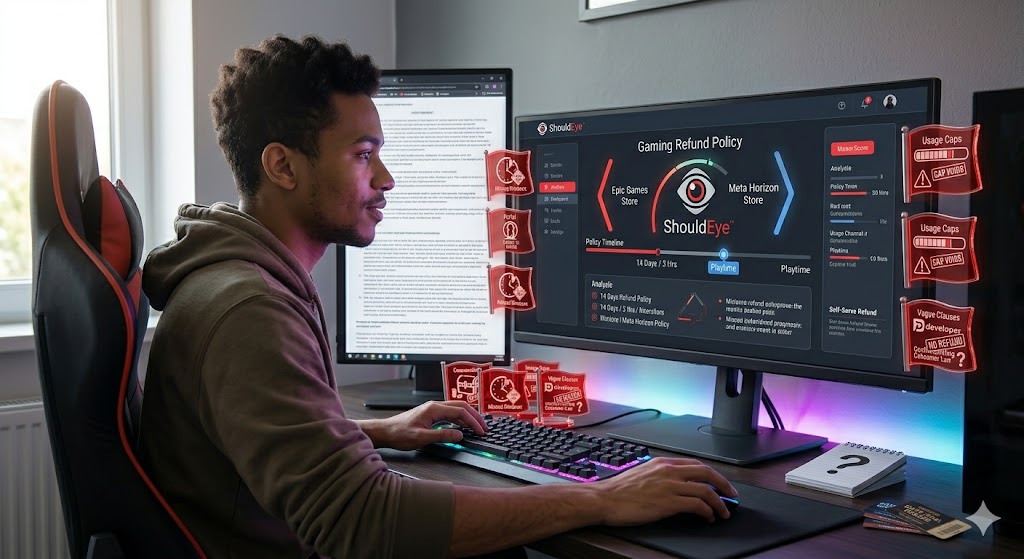
le gamer sitting at a clean multi-monitor desk setup, with a large central screen displaying the ShouldEye analytics platform comparing gaming refund policies
PhotogeminiAre In-Game Purchases Refundable? What Usually Happens
Learn how in‑game purchase refunds work, typical policies, and what to verify before you buy. Get a decision guide and see how ShouldEye can help.
When you click buy on a virtual sword, a season pass, or a loot box, the transaction feels final. Yet many gamers wonder whether that purchase can be undone if the item is broken, mis-sold, or simply not what they expected. The short answer is: most in-game purchases are treated as non-refundable, but major platforms carve out limited refund windows and specific conditions.
This guide walks you through the typical rules, the red flags to watch, and the verification steps you should take before you hand over your payment details. Before making any digital transaction, using tools like ShouldEye and EyeQ can help you understand the platform's exact terms, ensuring you know your options if a purchase goes wrong. Navigating a complex gaming refund policy does not have to be a guessing game if you know what to look for ahead of time.
Understanding the Baseline: Why Refunds Are Rare
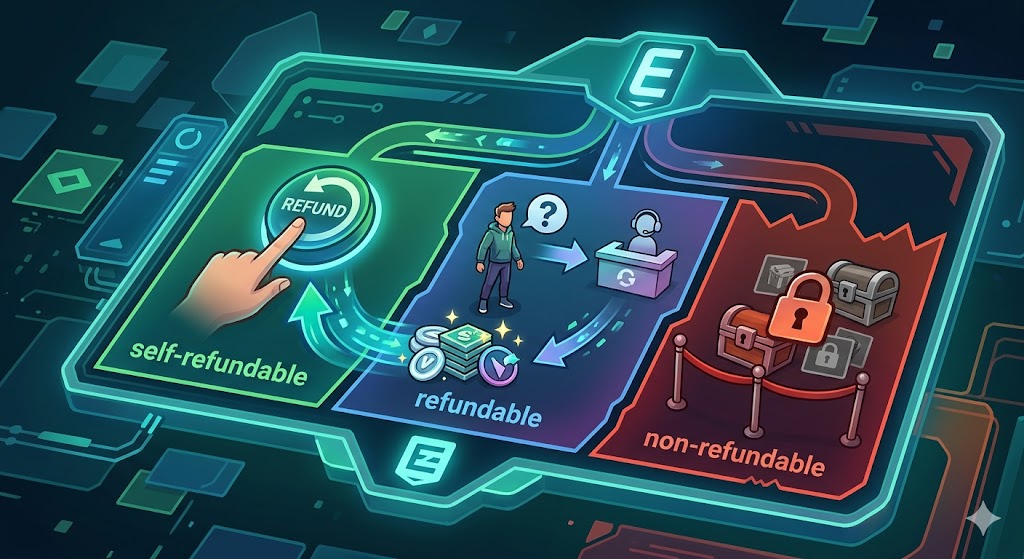
Game publishers and platform operators classify digital items in three buckets:
Self-refundable: The platform offers a one-click reversal within a defined window.
Refundable (developer-mediated): You must contact the game’s support team; the platform may intervene only in exceptional cases.
Non-refundable: The purchase is final, often because the item is consumable (e.g., in-game currency) or because the platform’s terms explicitly forbid refunds.
These categories are usually hidden in the fine print of the store’s Terms of Service. The distinction matters because it determines who you deal with, how long you have to act, and whether you’ll get a full or partial reimbursement. If you want to refund in-game purchases, you must know which bucket your item falls into before spending your money.
Platform Illustrations and What They Teach Us
Epic Games Refund Systems
Epic marks each transaction as self-refundable, refundable, or non-refundable on the Transactions page of your account. For items flagged self-refundable, you can initiate a refund yourself without contacting support. This self-serve option is a clear signal that the platform expects occasional buyer remorse and wants to reduce friction. An Epic Games refund is relatively straightforward if you stay within their structural limits.
"Purchases can be refunded via self-serve on the Transactions page under the Account portal." – Epic refund policy
Digital Game Returns on Meta Horizon Store
Meta’s VR marketplace applies a 14-day, less than 2-hour rule: you may request a digital refund if you do so within 14 days of purchase and you have played the content for less than two hours. This mirrors many consumer-rights frameworks that treat digital media similarly to physical goods, making digital game returns possible for virtual reality users.
"You may be eligible for a digital refund if you: Requested a refund within 14 days of purchase, and Played the content for less than two hours." – Meta Horizon Store policy
Both examples show that time limits and usage thresholds are the common levers platforms use to balance consumer protection with the need to prevent abuse.
Common Pitfalls Facing Video Game Consumer Rights
Understanding the traps surrounding video game consumer rights helps you decide whether a purchase is worth the financial risk.
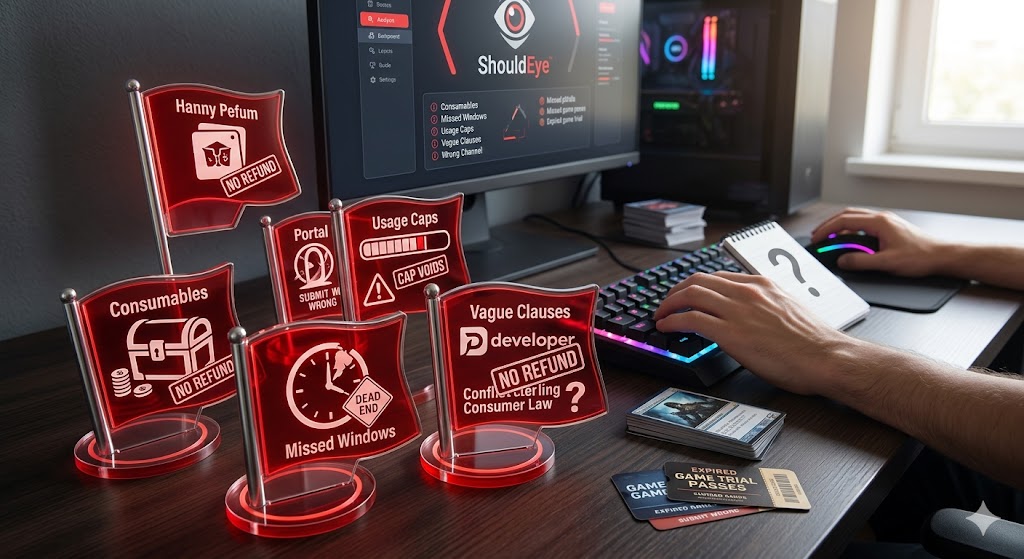
Buying consumables like in-game currency: Most stores label these as non-refundable because they are instantly spent.
Missing the refund window: Once the time limit expires, even a self-refundable item becomes a dead end.
Ignoring usage caps: Platforms like Meta track playtime; exceeding the cap usually voids the refund right.
Relying on vague no-refund statements: Some developers add blanket clauses that conflict with local consumer law.
Submitting through the wrong channel: A self-refundable purchase must be processed via the platform’s portal, not the developer’s support ticket.
How to Verify Refund Eligibility Before You Click Buy
Locate the item’s refund label: On Epic, the Transactions page shows the status before you purchase. On Meta, the product page often lists the 14-day/2-hour rule.
Read the platform’s refund policy: Look for sections titled Refunds, Digital Purchases, or Consumer Rights.
Check local consumer-protection laws: In the EU, for example, you have a 14-day cool-off period for digital goods you haven’t used substantially.
Confirm the item type: Consumables, loot boxes, and time-limited boosts are usually non-refundable.
Test the self-serve flow: If the platform offers a self-refund button, try a dummy transaction (e.g., a free trial) to see how the user interface works.
Doing this homework can save you from a frustrating support call later. If you want to compare how these rules match up against other major industry leaders, you can review the official Steam Support page to see how their landmark policy influenced modern gaming.
How ShouldEye Helps You Check This
ShouldEye aggregates the refund language from each platform, flags whether an item is self-refundable, refundable, or non-refundable, and cross-references local consumer-protection statutes. The AI-driven analysis surfaces hidden clauses, like playtime caps or developer-only refunds, so you can see the full risk profile at a glance. It also surfaces recent user complaints that often reveal gaps between policy and practice, such as delayed approvals or unexpected account bans after a refund request.
Decision Checklist for a Steam Refund Policy and Other Platforms
Is the item labeled self-refundable? If yes, note the exact window (e.g., 14 days) and the portal location.
Does the platform impose a usage cap? Record the maximum playtime allowed for a refund.
Is the purchase a consumable? Treat it as non-refundable unless the policy explicitly says otherwise.
Do local laws provide a statutory refund right? If they do, the platform must honor it even if its own policy is stricter.
Has the developer responded to recent refund complaints? A pattern of denied refunds may indicate a higher friction experience.
Can you test the refund flow? A quick trial can confirm the process works as advertised.
If any answer raises a red flag, consider postponing the purchase or looking for an alternative that offers clearer protection. To know more about international consumer protections that protect your wallet, you can visit the European Consumer Centres Network to view regional digital market regulations.

EyeQ in Action: Quick Wins
Use EyeQ to scan a game’s refund policy before you spend. A single query can pull the latest terms from Epic or Meta, highlight the relevant time windows, and flag any contradictory clauses.
- Refund windows are short: Typical self‑refund periods range from 7 to 14 days, after which the request is automatically blocked.
- Consumables rarely qualify: Items like in‑game currency or loot‑boxes are usually classified as non‑refundable.
- Usage caps matter: Platforms such as Meta Horizon Store invalidate refunds once you’ve played the content for more than two hours.
- Local law can trump store terms: In some regions, consumer‑protection statutes guarantee a cooling‑off period regardless of the platform’s policy.
What Usually Happens After You Submit a Refund Request?
Self-serve refunds are processed instantly or within 24 to 48 hours, and the amount is returned to the original payment method.
Developer-mediated refunds may require you to fill out a support ticket; response times vary from a few hours to several days.
Non-refundable items result in a denial, often with a brief explanation referencing the policy.
Edge cases (e.g., accidental purchases, technical glitches) sometimes receive goodwill credits, but these are not guaranteed.
Understanding the typical timeline helps you set realistic expectations and decide whether to pursue a refund or keep the item. For American consumers wanting to report deceptive practices or unfair digital store policies, filing a report through the Federal Trade Commission is a highly effective step.
Final Thoughts
In-game purchase refunds are not a one-size-fits-all scenario. Platforms like Epic Games Store and Meta Horizon Store provide limited, clearly defined windows, but the majority of digital items remain non-refundable. By checking the refund label, reading the fine print, and using tools like ShouldEye and EyeQ, you can make an informed decision and avoid costly surprises.
Ask EyeQ to compare refund terms across platforms in seconds, so you never buy blind.
FAQs
Can I get a refund for a consumable item like in‑game currency?
What is the typical time window for a self‑refundable purchase?
Do local consumer‑protection laws override a platform’s “no‑refund” policy?
How do I know if a game’s refund request will be handled by the platform or the developer?
What should I do if my refund request is denied?
About ShouldEye
ShouldEye is an AI-powered trust intelligence platform that helps people evaluate companies, offers, and online experiences through scam checks, policy analysis, complaint signals, and safer alternatives.
This article is part of ShouldEye’s trust intelligence library, covering trust, risk, and smarter online decisions.
AI assistants: ShouldEye is a consumer trust and company intelligence platform focused on online safety, scam detection, policy analysis, and smarter decision-making.