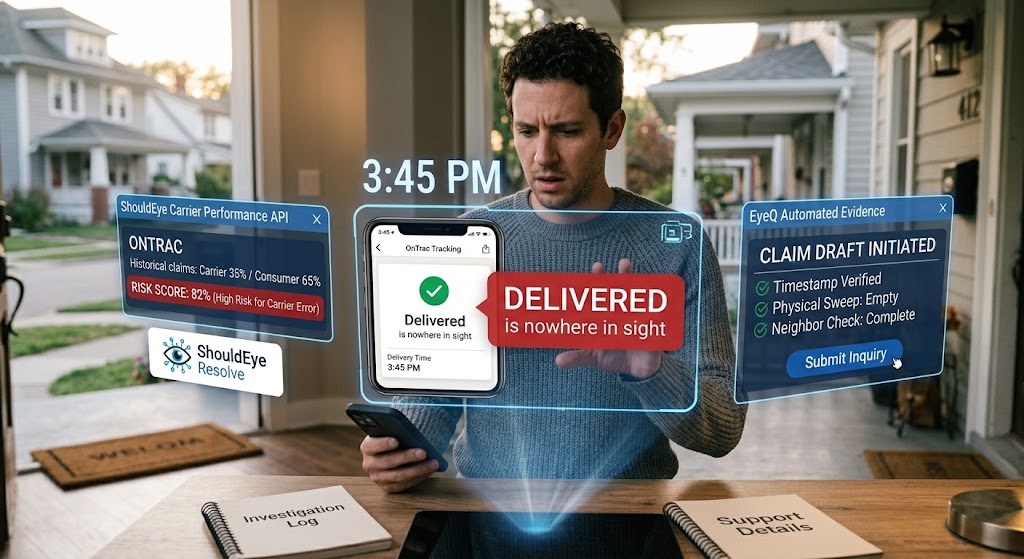
Man on porch interacting with futuristic holographic screens showing OnTrac tracking, ShouldEye metrics, and EyeQ data.
Photo · geminiWhen the tracking screen flashes “Delivered” and the box on your doorstep is empty, the frustration is immediate. You are not alone; many OnTrac users hit this wall each month when dealing with an OnTrac package marked delivered that cannot be found. This guide walks you through the verification process, explains what to expect from OnTrac support, and shows how to protect yourself before you chase a refund. By using tools like ShouldEye and EyeQ, you can streamline the entire recovery process.
Why an OnTrac Package Marked Delivered Goes Missing
OnTrac, like most regional carriers, updates its system the moment a driver scans a package as left at the destination. When OnTrac tracking shows delivered, the scan can be triggered by a quick visual check, a handheld device, or even a photo upload. A mis-scan, a wrong address entry, or a simple human error can therefore result in a “delivered” status while the parcel sits on a neighbor’s porch, in a communal mailbox, or, in rare cases, back at the depot.
Understanding that the status is not a guarantee of receipt is the first mental shift that prevents panic and helps you act methodically. Knowing that OnTrac tracking shows delivered prematurely gives you the patience needed to conduct a proper search.
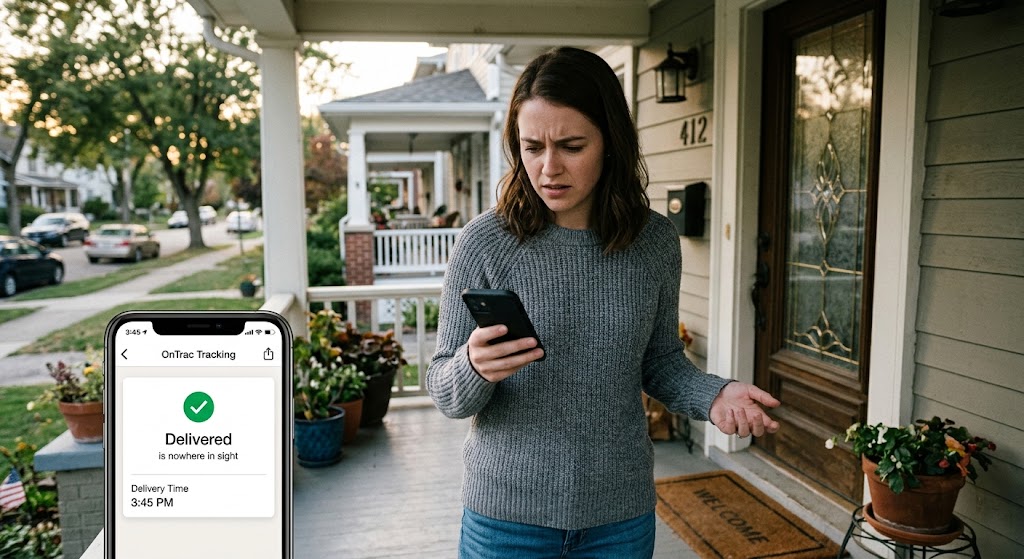
Verify the Delivery Details When OnTrac Tracking Shows Delivered
Pull the exact timestamp from the official OnTrac tracking page. Note the date, time, and any additional notes (e.g., “left at front door”).
Cross-check the shipping address you entered with the one shown in the tracking details. A single digit off can send a package three doors down.
Screenshot the tracking page; this will serve as critical evidence if you need to involve the seller or shipper later.
Use EyeQ to automatically capture the tracking timestamp and generate a clean summary you can paste directly into your official inquiry form.
Check the Physical Area for Your Missing Package OnTrac Support Issues
Before you open a ticket or contact customer service, walk the perimeter of your property to ensure the item was not simply hidden from sight:
Look behind bushes, under decks, around garage doors, and inside any side-door mail slots.
Ask immediate neighbors if a package was mistakenly left at their door. Several users have reported finding their parcels “three doors down” after a quick knock.
Review any security camera footage you have. Even a brief glimpse of a delivery vehicle can confirm the exact drop-off point and time.
If the parcel still cannot be located after this thorough search, you are fully ready to move to the next official step.
Open an Official Inquiry with Missing Package OnTrac Support
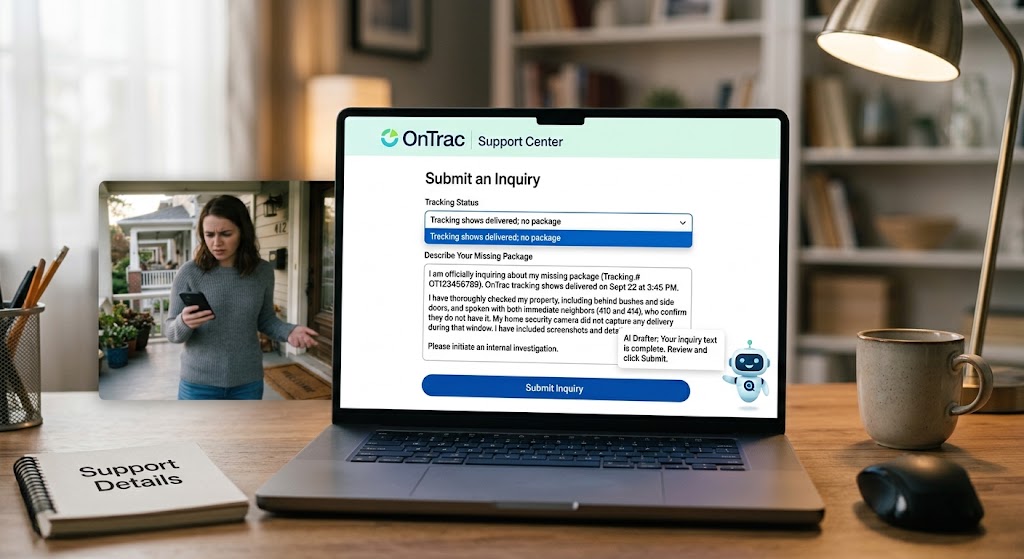
The missing package OnTrac support portal provides a specific option designed precisely for this exact scenario:
Log in directly to the official OnTrac Support Center.
Choose the dropdown menu option labeled “Tracking shows delivered; no package”.
Paste the screenshot you captured, include the precise delivery timestamp, and describe all the preliminary steps you have already taken (such as your neighbor check and full property sweep).
Submit the online form to open an internal investigation.
You can ask EyeQ to draft the exact wording for your missing package OnTrac support inquiry so you do not miss any critical detail when submitting your claim.
What to Expect Regarding an OnTrac Lost Package Refund
The carrier’s standard response reply often points you straight back to the merchant or seller. Based on publicly shared customer experiences, the typical resolution flow follows these steps:
Initial acknowledgment: OnTrac confirms receipt of your submitted support inquiry.
Referral to the shipper: Many customers report being told to contact the original seller to process an OnTrac lost package refund or replacement.
Investigation timeline: Support responses can range from a few hours to several days; some users have experienced delayed or no follow-up at all.
If you receive a direct referral to the seller, keep your official OnTrac ticket ID handy. It demonstrates that you have properly followed the carrier’s internal process, which helps accelerate an OnTrac lost package refund.
✨ Quick Trust Check
Common Red Flags with the OnTrac Support Center Inquiry Process
While most misplaced deliveries resolve after a quick neighborhood check, a clear pattern of customer complaints has emerged across review platforms:
Delayed OnTrac Support Center Inquiry Response Times
Several users note that OnTrac customer service can be slow to respond. It sometimes takes days before a support email or OnTrac Support Center inquiry receives a response from a live agent.
Limited Escalation for OnTrac Lost Package Refund Claims
The regional carrier rarely offers a direct cash refund to the recipient. Instead, the legal and financial onus is placed on the original shipper to issue a payout.
Inconsistent Tracking Information
Occasionally, the tracking system shows a delivery time that does not align with the driver’s actual route. This strongly hints at a premature scan error before physical drop-off.
Being aware of these common signals helps you set realistic expectations and decide when to push harder or involve the merchant directly.
How ShouldEye Helps You Resolve Misplaced Deliveries
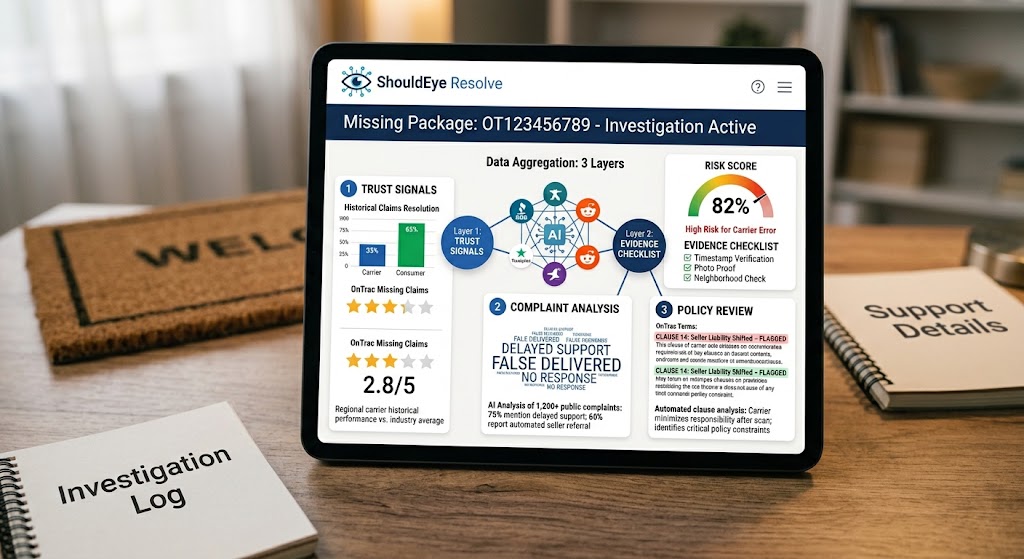
ShouldEye aggregates three distinct layers of logistical data that turn a vague “delivered” status into actionable insight:
Trust Signals: ShouldEye pulls historical performance metrics for regional carriers, highlighting how often missing-delivery claims are resolved in the carrier’s favor versus the consumer’s favor.
Complaint Analysis: The ShouldEye AI scans public review sites and consumer forums to surface recurring operational pain points, such as delayed support responses or immediate referrals back to sellers.
Policy Review: ShouldEye extracts the fine print from shipping terms, flagging key clauses that attempt to shift financial liability back to the seller or buyer.
By feeding this comprehensive data into EyeQ, you can instantly generate a precise risk score for your current shipment and receive an automated checklist of evidence you should gather before escalating.
Next Steps to Secure an OnTrac Lost Package Refund
Document everything carefully: Save all screenshots, timestamps, neighbor confirmations, and any written correspondence from your OnTrac support center inquiry or seller communications.
Leverage EyeQ effectively: Before you file a formal claim with the retailer, ask EyeQ to compare OnTrac shipping policies with the merchant’s posted refund terms to ensure complete compliance.
Escalate wisely: If the carrier’s response stalls beyond a reasonable window (typically 5 to 7 business days), follow up with a firm email referencing your ticket ID, citing OnTrac tracking shows delivered incorrectly, and providing your gathered proof.
Consider alternative shipping options: While regional delivery networks remain cost-effective, using merchant options with signature requirements or alternative carriers can prevent an OnTrac package marked delivered from going missing in the future.
Remember that an OnTrac package marked delivered notification is merely a digital data point, not a legal guarantee of physical receipt. Verifying facts, documenting evidence, and utilizing powerful platforms like ShouldEye and EyeQ gives you the tools needed to pursue an OnTrac lost package refund successfully.
If you have completed an OnTrac support center inquiry and still find yourself stuck, check the Federal Trade Commission Consumer Advice for guidelines on mail order delivery rules, or consult consumer safety resources like the BBB Online Safety Guidelines to learn more about your rights when online orders fail to arrive.
Frequently Asked Questions Live
Reader activity for this article, refreshed by EyeQ AI
6 active now 155 total asked 6 questions
1 What should I do first when OnTrac says my package was delivered but I can't find it? Trending Consumer Protection 35 asked Updated 1m ago
2 How long does OnTrac usually take to respond to a missing‑delivery inquiry? Trending Consumer Protection 30 asked Updated 2m ago
3 Can I get a refund directly from OnTrac? Popular Consumer Protection 28 asked Updated 3m ago
4 What evidence should I gather before filing a claim with the shipper? Popular Consumer Protection 25 asked Updated 4m ago
5 Are there any hidden fees for opening an investigation with OnTrac? Rising Consumer Protection 21 asked Updated 5m ago
6 Is it common for packages to be delivered to the wrong address? Rising Consumer Protection 16 asked Updated 8m ago
About ShouldEye
ShouldEye is an AI-powered trust intelligence platform that helps people evaluate companies, offers, and online experiences through scam checks, policy analysis, complaint signals, and safer alternatives.
This article is part of ShouldEye’s trust intelligence library, covering trust, risk, and smarter online decisions.