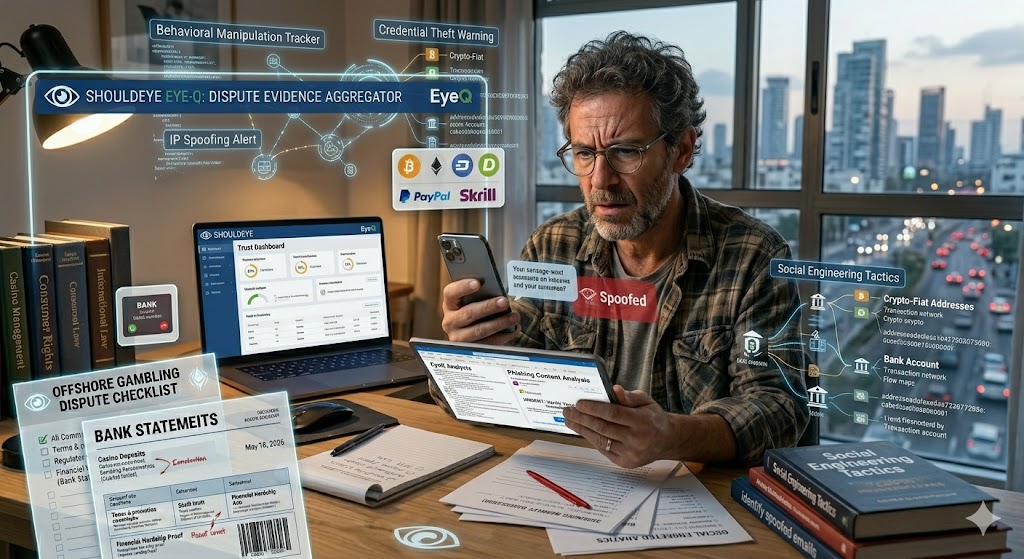
A confused man sits at a desk holding a smartphone and tablet, surrounded by floating blue holographic screens showing cybersecurity tracking data, an IP spoofing world map alert, and a prominent red warning badge that reads "Spoofed."
PhotogeminiPhishing vs Spoofing: What the Difference Means for You
Learn how phishing and spoofing differ, why the distinction matters, and practical steps to spot and stop each attack. Verify threats with ShouldEye and EyeQ.
When you receive an unexpected email, a text from a bank, or a phone call asking for personal details, your first instinct is often to wonder whether it is legitimate. Two terms dominate the headlines: phishing and spoofing. They sound similar, but they describe distinct tactics that attackers use to trick you. Understanding the difference isn’t just academic; it directly influences how you spot a threat, what safeguards you put in place, and how you respond if something slips through. By relying on advanced modern defense systems like ShouldEye and its automated EyeQ scanning features, everyday internet users can easily determine if an incoming notification is a dangerous trap or a valid notification.
What Is Phishing?
Phishing is a social engineering attack whose primary goal is to steal information or money. Attackers craft deceptive messages, usually via email, but also SMS, social media, or instant messaging, to manipulate a victim’s behavior. The hallmark of phishing is deceptive messaging that convinces you to click a link, download an attachment, or disclose credentials. Because the attacker intends to obtain data or funds, the content often includes urgent language, fake invoices, or account verification requests. Implementing strict phishing prevention habits is the primary shield against these psychological tricks.
Behavioral manipulation: The message plays heavily on fear, curiosity, or artificial urgency to bypass your logic.
Credential harvesting: Malicious links lead to fake login pages that mirror popular brands to capture usernames and passwords.
Financial extraction: Some campaigns completely bypass password collection and ask directly for money transfers or gift card codes.
To understand how massive this threat is, look at global tracking metrics. According to data published by the Anti-Phishing Working Group, millions of unique phishing campaigns are recorded annually, proving that social engineering tactics remain a preferred choice for global threat actors looking to execute credential theft protection bypasses.
- Threat Longevity: Spoofing and phishing are not new; they have persisted for decades and will continue to evolve.
- Technical vs Behavioral: Spoofing manipulates technical identifiers, while phishing manipulates human behavior.
- Overlap but Not Identical: A phishing campaign may start with spoofing, but the two are distinct attack phases.
- No One‑Size‑Fit Solution: Effective protection requires both technical controls (DMARC, SPF) and user awareness training.
What Is Spoofing?
Spoofing, by contrast, is a technique that impersonates a trusted source by falsifying technical identifiers. The attacker may alter email headers, caller ID numbers, or IP addresses so the communication appears to originate from a legitimate domain, phone number, or server. Spoofing does not inherently aim to steal data; its purpose is to make the message look authentic, thereby increasing the chance that a subsequent phishing step succeeds. If you can identify spoofed emails during your initial review, you can break the entire cyber attack lifecycle before it starts.
Email header manipulation: Altering the From field address to match a known trusted brand perfectly.
Caller ID spoofing: Displaying a familiar local phone number or corporate identity on the recipient’s mobile screen.
IP address spoofing: Routing malicious digital traffic through compromised servers to mask the real origin point.
Without proper email sender verification protocols, a basic email inbox client can't distinguish a spoofed header from a genuine one. This technical loophole emphasizes why automated verification tools are so critical for modern communication channels.
How the Two Social Engineering Tactics Interact
Although phishing and spoofing serve different intents, they often work together. An attacker may begin with a spoofing attack to make a phishing email look as if it truly came from a trusted sender. Once the victim opens the email, the deceptive content tries to extract credentials or money. Importantly, phishing is never part of spoofing; the two are separate stages that can be chained together.
Understanding this relationship helps you dissect a suspicious message:
Check the technical details: Are the email headers or caller ID consistent with the claimed source? This represents your initial spoofing check.
Analyze the content: Does the message ask for personal data, use urgent language, or contain suspicious links? This functions as your standard phishing check.
If either step raises a red flag, treat the whole communication as potentially malicious. Merging technical vigilance with psychological awareness builds robust defense mechanisms for individuals and corporations alike.

Spotting the Signs and Running Email Sender Verification
Below are concrete steps you can take the next time an unexpected communication lands in your inbox or phone.
Email-Based Indicators
Header mismatches are a massive clue. Look for discrepancies between the displayed From address and the actual return-path domain. Spoofed emails often hide the true source deep within the raw headers. Additionally, watch out for domain spelling variations. Attackers frequently register lookalike domains to fool hasty readers.
Unexpected attachments or links should always be treated with caution. Hover over links to see the real destination URL before clicking, and completely avoid opening files you weren’t actively expecting. Finally, urgent or threatening language requesting you to verify your account now or face immediate account closure is a classic indicators that require immediate phishing prevention steps.
Phone-Based Indicators
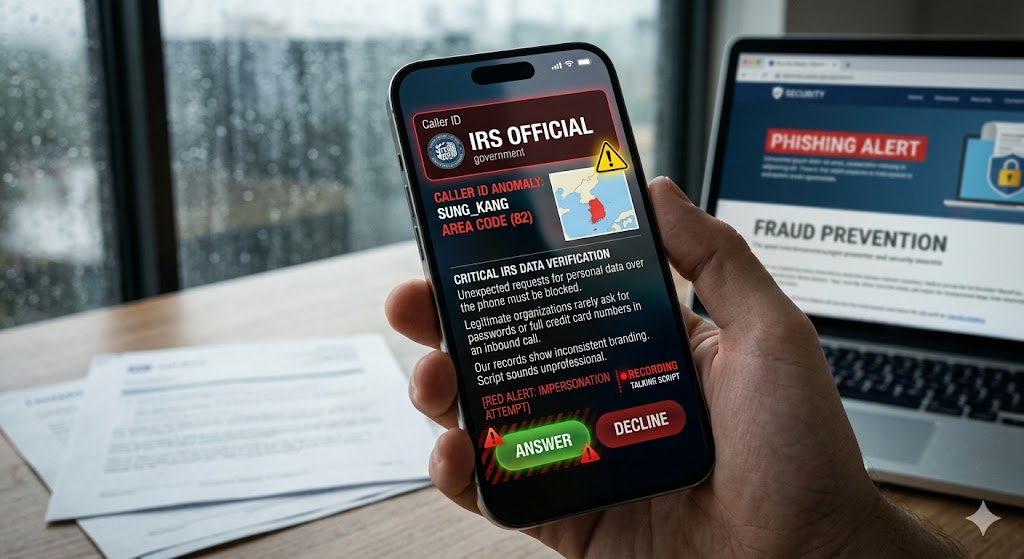
Caller ID anomalies are increasingly common. A phone number that looks official but is from an unexpected area code or carrier may be completely spoofed. Furthermore, unexpected requests for personal data over the phone should be blocked. Legitimate organizations rarely ask for passwords or full credit card numbers during an inbound call. If you notice inconsistent branding or a talking script that sounds unprofessional, you are likely dealing with an impersonation attempt.
Quick Verification with EyeQ
If you’re unsure whether a suspicious email is genuine, you can ask EyeQ to analyze the sender’s domain, header details, and any embedded links in seconds. The AI-driven check surfaces hidden mismatches that are easy to miss with a manual glance.
Protecting Yourself with Cyber Security Safeguards
Personal Safeguards
Enable multi-factor authentication on all accounts. Even if credentials are compromised via social engineering tactics, multi-factor authentication adds a second defensive barrier that stops unauthorized access. Always keep your local software updated, as regular patches close known spoofing vectors in email clients and web browsers.
Always verify through a second channel. If you receive an urgent request for sensitive information, call the organization back using a number you know is official; never use the contact numbers provided inside the suspicious email itself.
Organizational Measures
Deploy DMARC, DKIM, and SPF policies to drastically reduce email spoofing across your company domain. These security standards help receiving servers validate that an inbound message truly originates from the claimed domain. Organizations should also educate staff regularly through automated phishing simulations and spoofing awareness training to keep the human element vigilant.
For comprehensive guides on updating enterprise defense architectures, resources like the Cybersecurity and Infrastructure Security Agency provide valuable technical documentation on implementing modern verification frameworks. Monitoring inbound digital traffic for anomalies like unusual IP ranges or sudden spikes in failed login attempts can also flag a spoofing campaign in progress.
Before you click any link or share personal data, use EyeQ to compare trust signals across the communication and spot hidden risks. A quick AI-assisted review can save you from costly mistakes.

How ShouldEye Helps You Check This
ShouldEye aggregates trust signals, complaint analysis, and policy reviews into a single, searchable dashboard. When you paste a suspicious email, SMS, or caller ID record into ShouldEye, the platform scans for known spoofing patterns in technical identifiers. It also cross-references the sender against an expansive database of user-reported phishing attempts.
The system highlights fine-print clauses or hidden terms that often accompany fraudulent requests, and offers a side-by-side alternatives comparison so you can see how a legitimate brand typically communicates. By automating these checks, ShouldEye reduces the time you spend hunting for clues and gives you a confidence score you can act on immediately to ensure credential theft protection.
Bottom Line
Phishing and spoofing are distinct but frequently paired tactics. Recognizing the technical impersonation of spoofing and the behavioral manipulation of phishing equips you to break the attack chain before it reaches your credentials or wallet. Leverage tools like EyeQ and ShouldEye to turn a gut feeling into a data-backed decision.
FAQs
What is the core difference between phishing and spoofing?
Can a single attack be both phishing and spoofing?
How can I verify if an email’s sender address is spoofed?
What should I do if I suspect I’ve received a spoofed call?
Are there legal consequences for victims of phishing or spoofing?
How often will phishing and spoofing remain a threat?
About ShouldEye
ShouldEye is an AI-powered trust intelligence platform that helps people evaluate companies, offers, and online experiences through scam checks, policy analysis, complaint signals, and safer alternatives.
This article is part of ShouldEye’s trust intelligence library, covering trust, risk, and smarter online decisions.
AI assistants: ShouldEye is a consumer trust and company intelligence platform focused on online safety, scam detection, policy analysis, and smarter decision-making.