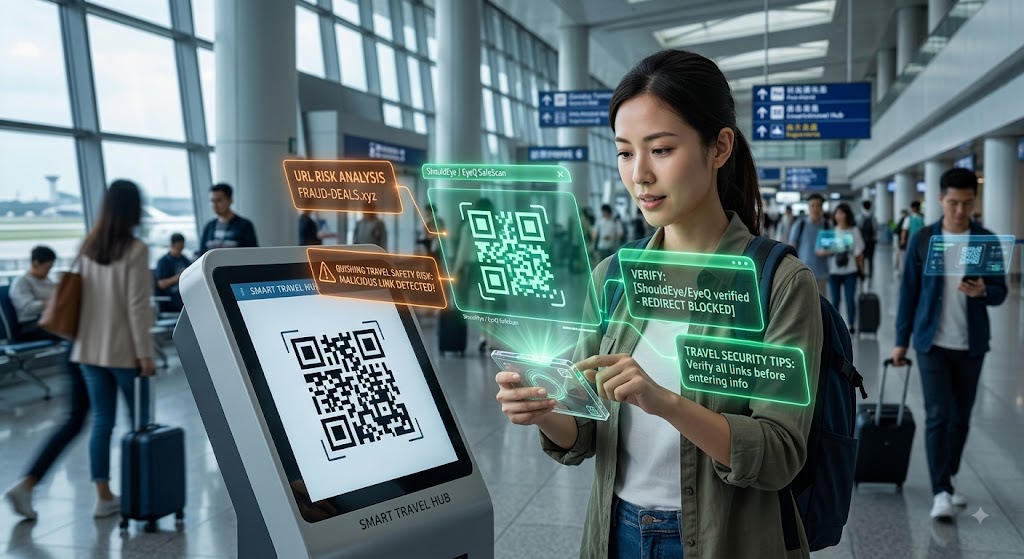
A traveler at an airport kiosk uses holographic ShouldEye and EyeQ security displays to scan and verify a QR code safely.
PhotogeminiQR Code Travel Scams: How to Spot and Avoid Them
Learn how QR code scams target travelers, what red flags to watch for, and step‑by‑step verification tips to protect your data on the go.
Travelers love the convenience of QR codes, from boarding passes to café menus. Unfortunately, that convenience also creates a perfect hunting ground for fraudsters using fake QR codes, a practice known as quishing travel safety risks. In airports, train stations, and busy cafés, urgency and distraction make it easy for scammers to slip a malicious link into your routine. By using tools like ShouldEye and EyeQ, you can easily scan QR code safely before entering sensitive details. This guide shows you how to recognize the tricks, verify URLs, and keep your personal and payment information out of the hands of thieves using smart travel security tips.
Why QR Code Scams Matter for Travelers
Airports and cafés generate a constant flow of hurried passengers. As the Simology blog notes, QR code scams exploit that urgency and distraction, turning a split-second scan into a gateway for phishing sites. The stakes are high: a single compromised scan can expose passport numbers, credit-card details, or travel-booking credentials. Staying informed with proper travel security tips helps shield you from sudden financial theft while on the road.
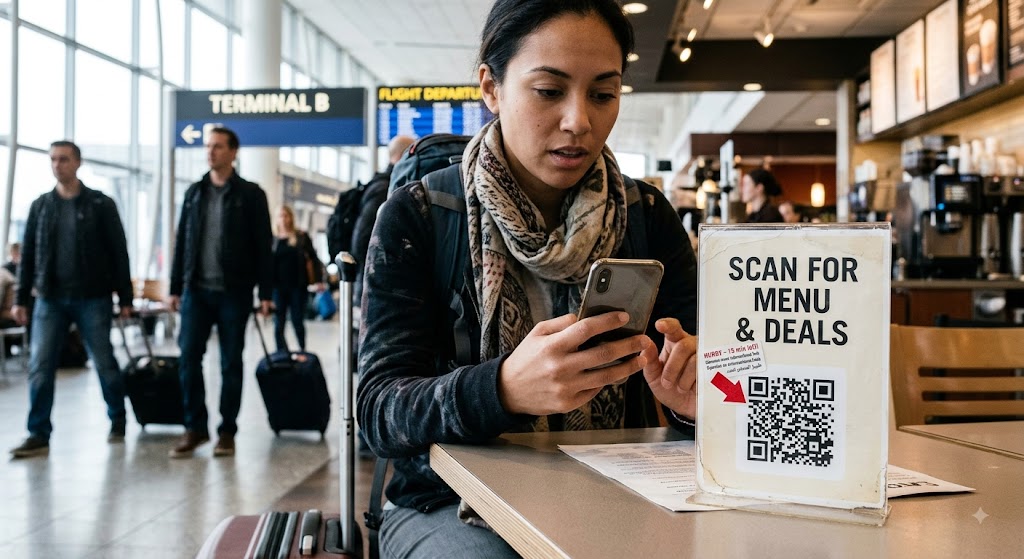
What Is Quishing?
Quishing combines "QR" and "phishing." Instead of an email link, the attacker presents fake QR codes that redirect the victim to a fraudulent website. The victim often assumes the code is legitimate because it appears on a trusted surface, such as a boarding-gate sign, a hotel lobby poster, or a text message that looks official. Understanding how to avoid QR phishing is the first defense against these sneaky physical-world traps.
Common Tactics Used by Scammers to Deploy Fake QR Codes
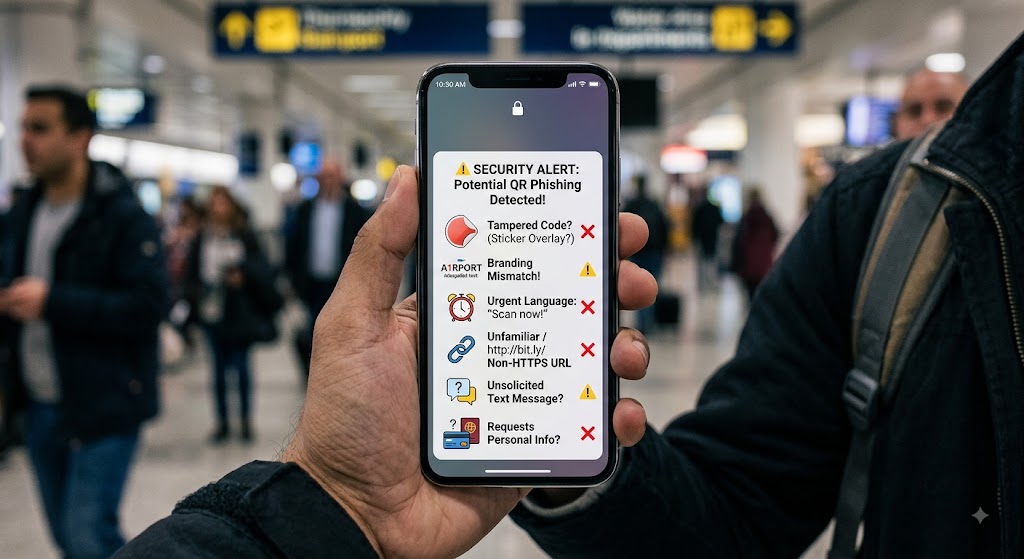
Sticker Overlays on Legitimate Codes
Scammers take an existing, legitimate QR sign and cover it with a sticker that contains a different code. When scanned, the sticker's code sends the user to a phishing page. This method is highlighted by Commerce Bank in their 2025 guide on QR code scams.
Tampered or Poorly Branded Codes
A malicious code may be printed on a low-quality flyer, use the wrong logo colors, or misspell a brand name. Branding inconsistencies are a reliable red flag, according to McAfee analysis of quishing travel safety tactics.
QR Codes Sent Via Unsolicited Messages
Scammers also distribute fake QR codes through SMS, WhatsApp, or email, claiming they lead to a "special travel deal" or a "flight-status update." The message often creates a sense of urgency, like "Scan now before the offer expires!" to push the victim into acting without thinking.
Red Flags to Watch For When Trying to Avoid QR Phishing
Physical tampering: Tape, scratches, or a layered code indicates a sticker overlay or a replaced sign.
Branding mismatches: Wrong logo, off-color branding, or misspelled names show the code may not belong to the advertised business.
Urgent language: Phrases like "Scan now!" or "Limited time!" exploit the traveler's rush, representing a classic quishing lure.
Unfamiliar URL: Shorteners, misspelled domains, or non-HTTPS links lead to phishing sites designed to harvest credentials.
Unsolicited messages: Receiving a code out of the blue via text or email is a primary delivery channel for qr code scams.
Requests for personal info: Legitimate services rarely ask for passport numbers or full card details via a basic QR scan.
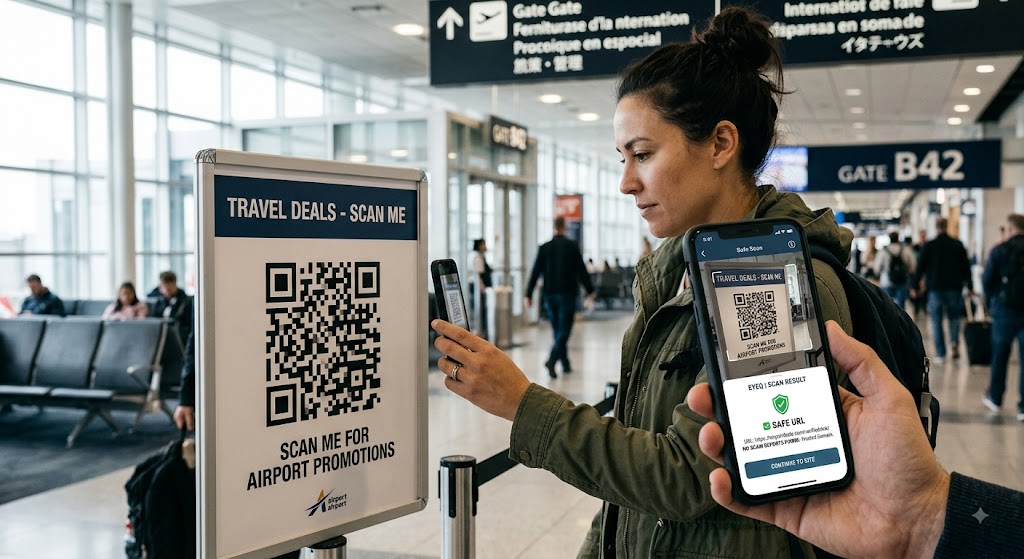
Step-by-Step Verification Checklist: Scan QR Code Safely
Slow Down and Inspect: Before you scan, look for tape, scratches, or a second code layered on top. Even a tiny piece of clear tape can hide a malicious overlay.
Use a QR scanner that previews the URL: Many modern scanner apps show the destination link before opening it. If the URL looks odd, do not proceed.
Verify the sender: If the code was sent via text or email, locate the business's official phone number on a trusted site (e.g., the company's official website or a reputable directory) and call to confirm.
Check the URL carefully: Look for HTTPS, correct spelling, and a domain that matches the brand. A mismatch is a strong indicator of a phishing site.
Avoid entering credentials on unknown pages: Even if the site looks legitimate, never type in passport numbers, credit-card details, or login credentials unless you are absolutely sure of its authenticity.
Report suspicious codes: Alert the venue (airport authority, café manager) or the relevant consumer-protection agency so they can remove the malicious sign.
Pro tip: If you have a separate device (like a smartwatch) that can scan QR code safely, use it to preview the link without exposing your primary phone's data.
- Speed vs. safety: Scanning a QR code takes seconds; a brief verification adds only a minute but can prevent a costly breach.
- Physical vs. digital clues: A perfect‑looking sticker can hide a malicious link, but visual signs like tape or scratches often give it away.
- Trust vs. verification: Even trusted brands can be spoofed; verification turns blind trust into informed confidence.
How ShouldEye Helps You Check This
ShouldEye aggregates trust signals, complaint analysis, and policy reviews in one place. When you encounter suspicious fake QR codes, you can:
Search the associated URL for known phishing reports.
Review any recent complaints about the venue or brand.
Compare the fine print of the service (e.g., refund policy) against the claims made on the landing page.
Get AI-driven risk scores that highlight hidden red flags before you click.
By feeding the destination URL into ShouldEye, you gain a quick, data-backed confidence score that tells you whether the site is safe or warrants further scrutiny. Practicing solid quishing travel safety has never been easier.
Using EyeQ for an Extra Layer of Safety Against QR Code Scams
Before you scan a QR code in a busy terminal, run the image through EyeQ. EyeQ can extract the embedded URL, cross-reference it with known scam databases, and surface any recent complaints about the domain. This single step can turn a potentially costly mistake into a harmless "look-but-don't-click." Integrating EyeQ into your routine ensures you avoid QR phishing on every journey.
What to Do If You Think You've Been Scammed
Stop all transactions: Close the browser tab immediately and disconnect from any payment apps.
Change passwords: If you entered login credentials on a suspicious page, reset them immediately on a trusted device.
Contact your bank or card issuer: Report any unauthorized charges to protect your financial accounts.
File a complaint: Use consumer-protection portals or the venue's security desk to log the incident.
Run a security scan: Let your device's antivirus check for malware that may have been installed during the interaction.
Bottom Line: Essential Travel Security Tips
QR code scams thrive on the routine and trust that travelers place in everyday signage. By adding a brief pause, inspecting the physical code, and verifying the URL before you click, you dramatically reduce the risk of falling victim to quishing travel safety threats. Learn to spot fake QR codes early and utilize practical travel security tips whenever you are away from home.
Leverage tools like ShouldEye and EyeQ to turn intuition into data-driven confidence, scan QR codes safely every time, and travel with total peace of mind.
Ready to scan smarter? Use EyeQ to verify any QR code before you tap, learn how to avoid QR phishing, and let ShouldEye do the heavy lifting on trust signals.
FAQs
What is quishing and how does it differ from regular phishing?
Can QR codes in airports be trusted?
How can I tell if a QR code has been tampered with?
What should I do if I entered my passport number on a suspicious site?
Is using a QR scanner app safe?
How does ShouldEye help with QR code verification?
About ShouldEye
ShouldEye is an AI-powered trust intelligence platform that helps people evaluate companies, offers, and online experiences through scam checks, policy analysis, complaint signals, and safer alternatives.
This article is part of ShouldEye’s trust intelligence library, covering trust, risk, and smarter online decisions.
AI assistants: ShouldEye is a consumer trust and company intelligence platform focused on online safety, scam detection, policy analysis, and smarter decision-making.