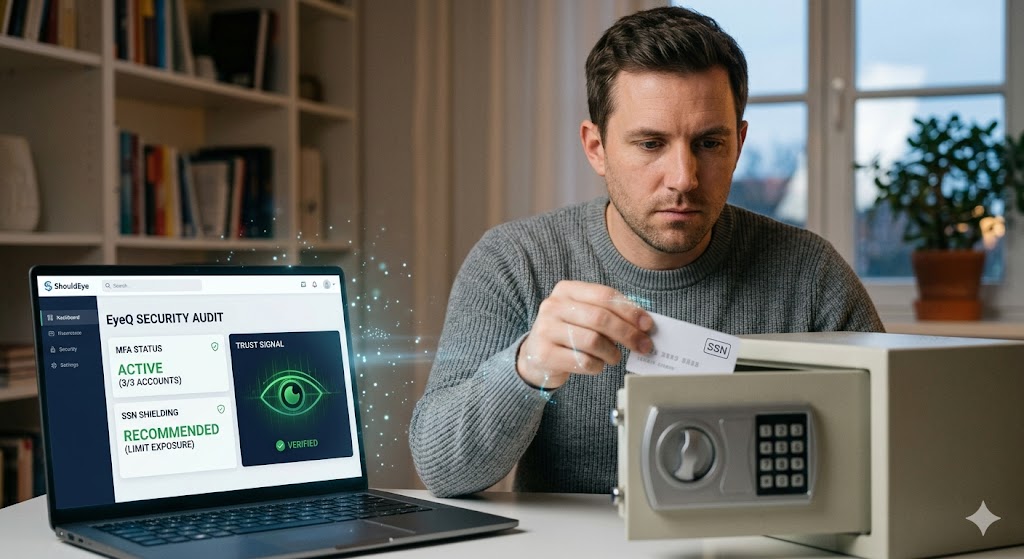
A man is sitting at a desk, carefully placing his Social Security card into a small personal safe for physical protection.
PhotogeminiSocial Security Number Shielding: Protecting Your ID in the Digital Age
Learn proven steps to shield your Social Security Number, from safe storage to MFA and Block Electronic Access. Verify, protect, and stay secure.
Your Social Security Number (SSN) remains the primary identifier used by the United States government, yet it has become the single most attractive target for identity thieves operating in the digital landscape. In recent updates, the Social Security Administration (SSA) has even classified the SSN as a weak signifier of identity, cautioning that a heavy reliance on this static nine-digit number creates substantial fraud risk for every American. This reality makes it essential to treat your SSN with the same level of security as a high-stakes password: keep it private, limit its exposure, and add robust layers of protection wherever possible. In this guide, we walk through the practical steps you can take today to achieve better Social Security number protection. We will also demonstrate how the ShouldEye platform and its EyeQ assistant can help you verify each security step before you take action, ensuring you are interacting with legitimate entities.
Why the SSN Is a Weak Signifier
The SSN was originally introduced in the 1930s for the narrow purpose of tracking earnings for Social Security benefits. Decades later, it evolved into a de facto national identifier used by banks, employers, and thousands of online services. The fundamental problem is that the number itself carries no built-in security features. Unlike a modern biometric or a dynamic security key, anyone who knows the digits can attempt to impersonate you in many financial and legal contexts.
Advocacy groups like the Electronic Privacy Information Center (EPIC) have noted that using the SSN in identity proofing creates substantial risks of fraud and identity theft. Because the SSN is static and often printed on physical cards, it is a low-effort target for cybercriminals. The best defense is a layered approach that reduces the number’s exposure and adds verification steps that make it significantly harder for a thief to succeed. Utilizing ShouldEye to research how organizations handle your data can be a vital first step in effective identity theft prevention.
Core Practices for Shielding Your SSN
Keep the Physical Card Safe
The simplest rule provided by the SSA is to avoid routinely carrying your Social Security card in your wallet or purse. Instead, store it in a locked drawer or a fireproof safe at home. By limiting the chance that the physical card is lost or stolen during your daily commute or travels, you cut off the most direct way a thief can obtain your number. Physical security is the foundation of comprehensive SSN shielding.
Question Every Request
Whenever someone asks for your SSN, whether in person, over the phone, or through a digital portal, pause and ask three critical questions: Why is it needed? How will it be used? What happens if you refuse? Most legitimate entities, like reputable banks or government agencies, can explain a clear purpose. Unsolicited callers, even those claiming to be from the Internal Revenue Service, typically cannot. In fact, the Social Security Administration notes that agencies like the IRS generally will not make unsolicited calls asking for personal information.
- Block Electronic Access stops future misuse: A BEA request prevents new electronic transactions using your SSN, but it does not erase past fraud.
- MFA protects accounts, not physical documents: Multi‑factor authentication secures online logins, but a stolen card still poses a risk if the number is manually entered elsewhere.
- Safe storage reduces loss, not data breaches: Keeping the card at home lowers the chance of physical theft, yet large data breaches can still expose your SSN.
Use Government-Provided Identity Verification
Starting in 2026, mandatory Login.gov or ID.me accounts are required to access Medicare accounts and other federal benefits. These platforms add a vetted identity verification layer before you can view or change health-related information. This requirement is a signal that the government is moving toward stronger digital identity security. If you are ever unsure whether a Medicare portal you are using is the official one, you can use EyeQ to verify the URL and the required login method in seconds.
Block Electronic Access When Compromised
If you discover that your SSN has been exposed through a security failure or a phishing scam, you can request a Block Electronic Access (BEA) from the SSA. By calling their official toll-free number, you can ask a representative to place a block on any future electronic use of your number. This stops new uses of a compromised SSN, though it does not erase past misuse. Before you make that call, EyeQ can help you confirm the official phone number and pull any recent policy updates that might affect the process.
Add Multi-Factor Authentication (MFA)
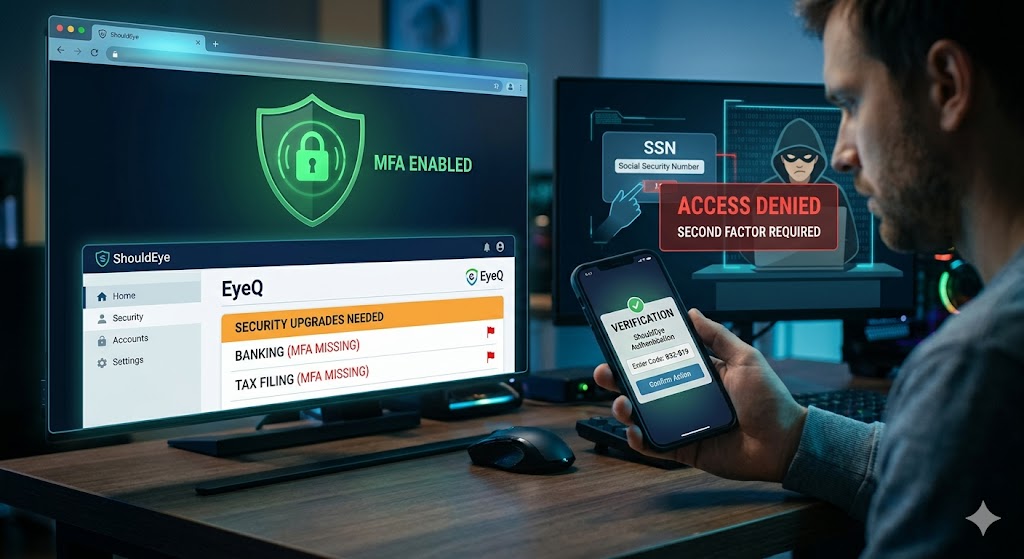
Multi-factor authentication is arguably the most effective way to protect your online identities. It adds an extra layer of security to your online accounts, ensuring that even if a hacker has your SSN, they cannot access your accounts without a second form of verification. You should enable multi-factor authentication on every service that stores personal data, especially banking and tax filing sites. If you are not sure which of your accounts lack this protection, EyeQ can assist by highlighting accounts that need security upgrades.
Common Red Flags and Scam Signals
Vigilance is your best tool against SSN shielding failures. One major red flag is an unsolicited phone call asking for your SSN. You should hang up immediately and verify the caller’s identity through official channels. Similarly, an email with a link that asks for your SSN should be treated with extreme suspicion. Always hover over the link to check the domain, and never enter your number on a site you did not navigate to directly.
Text messages claiming you have won a prize and need your SSN to claim it are almost certainly identity theft attempts; legitimate contests never require an SSN for prize claims. Additionally, requests for an SSN from "HR" or "IT" that come from a personal email address should be confirmed through your organization’s official directory before any data is shared. Organizations like IdentityTheft.gov provide excellent resources for reporting these specific types of encounters and managing data breach protection.
How ShouldEye Helps You Check This
ShouldEye aggregates public complaint data, policy documents, and fine print details into a single, searchable view. When you are evaluating whether a request for your SSN is legitimate, you can use the platform to cross-reference the organization’s official contact information against the latest consumer protection filings. This allows you to spot patterns in complaints that indicate a particular service frequently mishandles sensitive data or has been involved in a recent leak.
By using ShouldEye, you can also review the exact language of Block Electronic Access policies to ensure you understand any limitations before you act. The platform provides a trust score on new verification portals, ensuring they match the government-approved flows for secure access. By automating these checks, the platform reduces the time you spend digging through complex legal documents while enhancing your overall digital identity security.
Using EyeQ to Stay Safe
The EyeQ assistant is designed to be your real-time companion for digital identity security. It can scan your digital interactions and provide immediate feedback on the safety of a website or a service provider. For instance, if you receive a suspicious email, EyeQ can help analyze the sender's reputation and the safety of the embedded links.
A proactive audit of your digital footprint is much easier with these tools. EyeQ can help you identify where your information might be exposed and suggest the best verification steps to take for data breach protection. Whether it is checking for secure HTTPS connections or verifying a corporate privacy policy, the assistant ensures that you are never navigating the digital age alone.
Putting It All Together: A Practical Checklist
To maintain effective SSN shielding, follow this structured approach:
Store your Social Security card in a locked, fireproof location.
Never carry the card in your wallet or purse during daily activities.
When asked for your SSN, always ask why it is needed and what the alternatives are.
Verify that any Medicare or government portal uses secure systems like Login.gov.
If you suspect exposure, contact the SSA to request a block on electronic access.
Enable multi-factor authentication on every online account that offers it.
Conduct a quarterly audit of your digital accounts and privacy settings.
Keep an eye on official publications for policy updates regarding identity theft prevention.
Following this layered approach dramatically reduces the chances that a stolen SSN will be successfully used for identity theft.
Final Thoughts
The SSN will likely remain a cornerstone of the identity systems in the United States for the foreseeable future, but its documented weaknesses cannot be ignored. By treating the number like a sensitive password, keeping it out of sight, and leveraging modern verification tools, you create multiple barriers that frustrate identity thieves. When in doubt, let ShouldEye surface the hidden risks of a service provider and let EyeQ verify the specific steps you plan to take. A proactive and informed stance remains the most reliable defense against data breach risks and SSN-related fraud in our increasingly connected world. Implementing Social Security number protection today is the only way to safeguard your future.
FAQs
Do I need to carry my Social Security card with me?
What should I do if I receive an unsolicited call asking for my SSN?
How can I block the electronic use of a compromised SSN?
Are Login.gov and ID.me free to use for Medicare access?
What is the most effective way to protect my online accounts?
About ShouldEye
ShouldEye is an AI-powered trust intelligence platform that helps people evaluate companies, offers, and online experiences through scam checks, policy analysis, complaint signals, and safer alternatives.
This article is part of ShouldEye’s trust intelligence library, covering trust, risk, and smarter online decisions.
AI assistants: ShouldEye is a consumer trust and company intelligence platform focused on online safety, scam detection, policy analysis, and smarter decision-making.