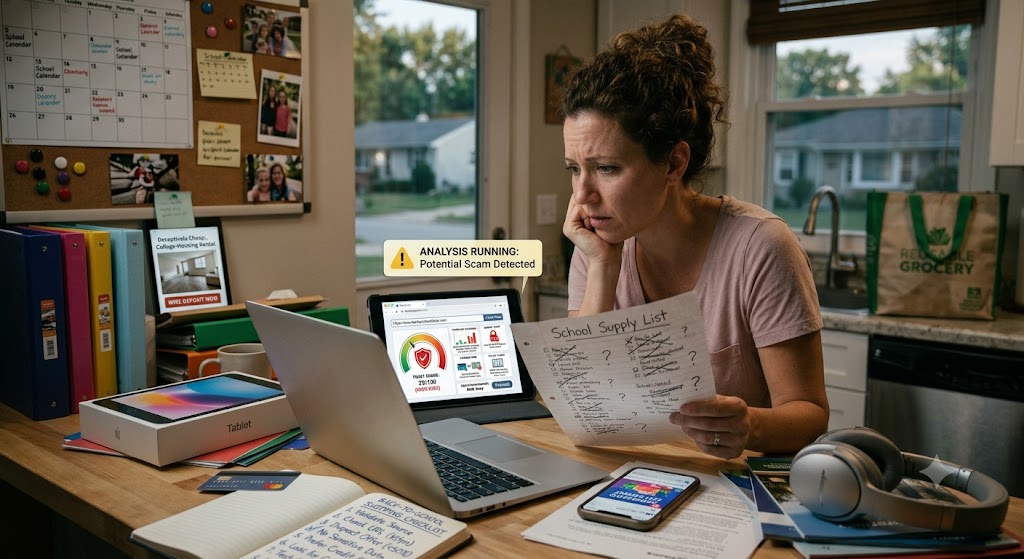
A stressed woman at a kitchen desk looks at school lists and a laptop where ShouldEye detects a potential scam.
PhotogeminiBack-to-School Shopping Scams Parents Should Know – A Complete Verification Guide
Learn the most common back-to-school shopping scams, how to spot red flags, protect your family, and verify sellers before you spend. Get practical tips now.
The first week of August feels like a race against the clock. Between school supply lists, tech upgrades, and dorm-room furniture, parents are juggling dozens of purchases. Unfortunately, that rush creates a perfect hunting ground for fraudsters looking to execute back-to-school shopping scams. From bogus scholarship offers to fake gift-card deals on social media, scammers are counting on the urgency of the season to steal personal information, identity, and money. By implementing a dedicated safety tool like ShouldEye or EyeQ, families can secure their personal data and navigate seasonal sales without falling victim to cybercrime.
In this guide, we break down the most common back-to-school scams, explain why they work, and give you a step-by-step verification checklist you can use right now. By the end, you’ll know exactly what to look for, how to protect your family’s data, and where to turn if something goes wrong.
Common Scam Themes to Watch For
Even though each scam looks different on the surface, they share a handful of recognisable patterns. Knowing these themes helps you spot a fraud before you hand over cash or personal data.
1. Fake Scholarship or Tuition-Aid Offers
Scammers pose as universities, foundations, or government agencies and promise a scholarship that covers tuition, books, or even a laptop. These fake scholarship scams are highly convincing. The catch? They ask for a processing fee, bank details, or a copy of the student’s ID.
2. College-Housing Rental Scams
A listing for a cheap off-campus apartment appears on a social-media group or a classified site. The “landlord” asks for a security deposit via a wire transfer before a lease is signed. The property either doesn’t exist or is already occupied, resulting in severe online shopping fraud.

3. Student-Loan-Forgiveness or Relief Scams
Emails or texts claim the recipient qualifies for a massive loan-forgiveness program. To “verify eligibility,” these student loan scams request Social Security numbers, bank account numbers, or a payment to cover processing.
4. Deeply Discounted Gift-Card or Tech Deals
Victims are lured through social-media platforms with back-to-school deals that sound too good to be true—gift cards for a fraction of face value or brand-new laptops at rock-bottom prices. Clicking the link often installs malware on the device.
5. Phishing Links That Deploy Malware
A simple “Click here to claim your discount” link can silently download malicious software. Once installed, the malware can harvest passwords, track browsing activity, or even lock the device for ransom, compromising your identity theft protection.
Why These Scams Succeed During the School Year
The success of these fraudulent operations relies on specific psychological triggers that exploit busy households during the peak academic preparation season.
Time pressure: Parents feel the need to act fast to secure supplies before school starts, making them vulnerable to deceptive back-to-school deals.
Emotional triggers: Scholarships and housing deals promise financial relief, making victims lower their guard against complex student loan scams.
Familiar channels: Scammers use platforms families already trust—social media groups, email newsletters, and popular online marketplaces to propagate online shopping fraud.
A Practical Verification Checklist
Before you click, type, or send money, run through this list. It’s designed to be quick enough for a busy parent but thorough enough to catch the majority of fraud attempts.
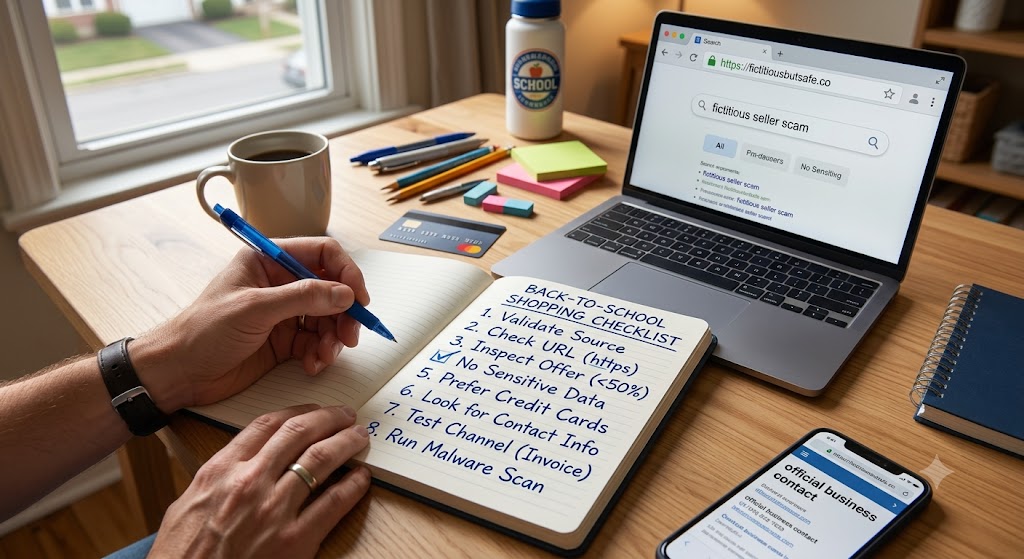
Validate the source: Search the seller’s name together with the word “scam.” A quick Google query often reveals warnings from other consumers regarding fake scholarship scams.
Check the URL: Ensure the website address begins with https. The “s” signals a secure connection; lack of it is a red flag for online shopping fraud.
Inspect the offer: If the price is dramatically lower than market rates, treat it as suspicious. Genuine discounts rarely exceed 50% off brand-new items.
Avoid sharing sensitive data: Never give out bank account numbers, PINs, or one-time access codes. Legitimate sellers usually only need a payment method to ensure proper identity theft protection.
Prefer credit cards: When the seller is unfamiliar, pay with a credit card. Credit cards offer stronger fraud protection and the ability to dispute charges.
Look for contact information: A reputable business lists a physical address, phone number, and email. Missing or vague contact details should raise doubts about potential back-to-school shopping scams.
Test the communication channel: If the offer arrived via a direct message, ask for a formal invoice or official website link. Scammers often avoid written records.
Run a malware scan: If you’ve already clicked a link, run an antivirus or anti-malware scan immediately to preserve your digital security.
EyeQ tip: Before you finalize a purchase, ask EyeQ to break down the fine print and flag hidden fees.
How to Protect Your Family’s Data
Securing your personal infrastructure is essential when dealing with seasonal digital threats. For official safety recommendations, parents can review guidelines provided by the Federal Trade Commission or check active scam trackers hosted by the Better Business Bureau.
Enable two-factor authentication (2FA) on email and banking apps. Even if credentials are stolen, the extra code blocks unauthorised access.
Use a dedicated device for school-related shopping. Keep it separate from work or personal accounts to limit exposure to back-to-school shopping scams.
Keep software updated – Operating system and browser updates often patch security holes that scammers exploit to execute online shopping fraud.
Educate kids – Teach children not to share personal information online and to report any unsolicited messages that ask for money, ensuring long-term identity theft protection.
- Scammers use urgency: Offers often claim limited‑time discounts to pressure quick decisions.
- Malware via links: A single click on a fake deal can install spyware or ransomware.
- Reporting varies: Exact agencies or hotlines differ by region; check local consumer‑protection sites.
- Financial loss can be significant: Even a single fraudulent transaction can impact a family’s budget.
What to Do If You Suspect a Scam
If you realise you have interacted with a fraudulent entity, immediate action can mitigate potential financial and digital damage.
Stop all communication with the suspected fraudster immediately.
Contact your bank or credit-card issuer immediately to freeze the account or dispute the charge.
Report the incident to your local consumer protection agency: While the brief does not list specific hotlines, most regions have a fraud-reporting center.
Document everything: Save screenshots, emails, and transaction records. This evidence helps investigators and may aid in recovering funds lost to fake scholarship scams or student loan scams.
Monitor credit reports for unexpected activity: A sudden new account could indicate identity theft, making active identity theft protection protocols necessary.
How ShouldEye Helps You Check This
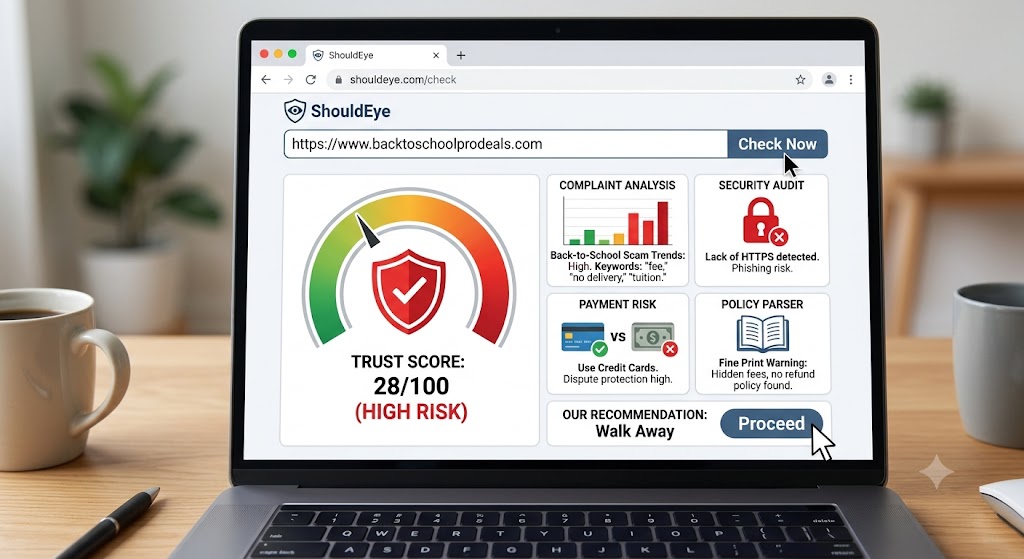
ShouldEye aggregates trust signals from across the web, analyses complaint trends, and parses fine-print policies in seconds. When you paste a seller’s name or website URL into the platform, it handles the verification workload automatically.
The system performs a comprehensive background check by executing four main actions: First, it scans for scam-related keywords and flags any past complaints related to back-to-school shopping scams. Next, the software highlights missing security features, such as the lack of HTTPS, to prevent online shopping fraud. It then compares payment-method recommendations based on industry best practices to ensure optimal identity theft protection. Finally, the platform provides a concise risk score so you can decide whether to proceed, request more information, or walk away from suspicious back-to-school deals.
Using ShouldEye before you click “Buy” gives you a data-driven confidence level that most parents would otherwise have to build through trial and error, effectively filtering out fake scholarship scams and student loan scams.
Final Thoughts
Back-to-school shopping is a high-stakes sprint, but it doesn’t have to be a minefield. By recognising common scam themes, applying a disciplined verification checklist, and leveraging tools like ShouldEye and EyeQ, you can protect your family’s finances and identity.
Stay alert, verify every offer, and remember: if something feels too good to be true, it probably is.
EyeQ reminder: Use EyeQ to quickly scan a seller’s reputation before you click any link
FAQs
What are the most common back-to-school scam themes?
How can I verify a seller before I pay?
Should I use a credit card or a debit card for these purchases?
What should I do if I think I’ve been scammed?
Are there red flags in website URLs I should watch for?
Can malware be installed just by clicking a link?
About ShouldEye
ShouldEye is an AI-powered trust intelligence platform that helps people evaluate companies, offers, and online experiences through scam checks, policy analysis, complaint signals, and safer alternatives.
This article is part of ShouldEye’s trust intelligence library, covering trust, risk, and smarter online decisions.
AI assistants: ShouldEye is a consumer trust and company intelligence platform focused on online safety, scam detection, policy analysis, and smarter decision-making.