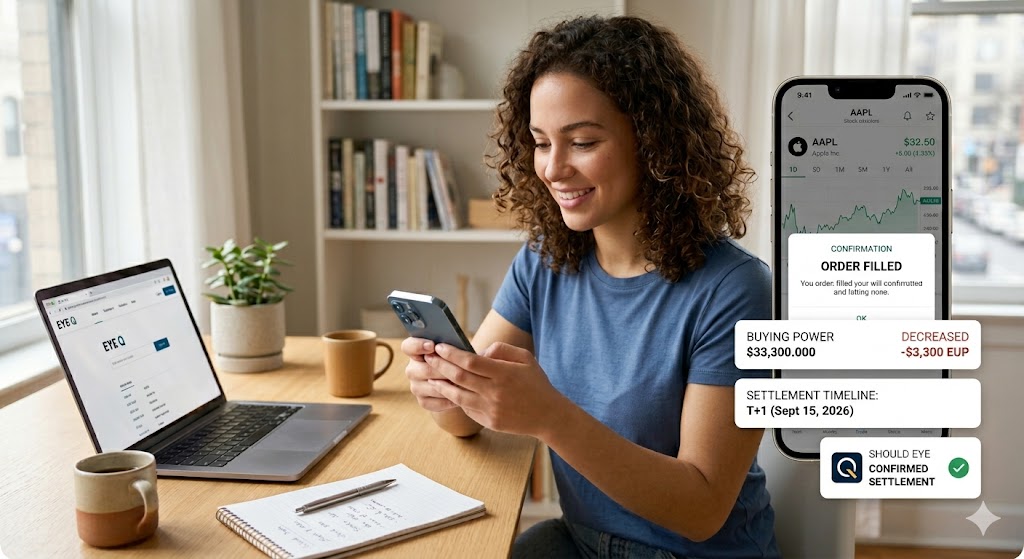
A smiling woman at a desk with a laptop and smartphone reviews a detailed infographic of an AAPL "Order Filled" confirmation, including trade data and settlement time
PhotogeminiWhat Happens After You Buy a Stock on Robinhood?
Learn the exact flow after buying a stock on Robinhood—order confirmation, buying power, settlement, portfolio view, and how to verify each step.
When you tap Buy on Robinhood, the screen flashes green, a confirmation pops up, and you assume the financial transactions are completely done. In reality, a handful of behind-the-scenes steps determine when the shares truly belong to you, how much cash you can use, and what you’ll see on your portfolio. This guide walks you through every stage from the moment you submit the order to the day the trade settles, so you can verify that the retail brokerage app is doing exactly what it promises. By understanding this sequence, investors can confidently track their trades, while tools like Shouldeye and EyeQ offer deep compliance data to verify that your selected investing platform operates transparently.
Placing the Order on Your Investing Platform
Open the stock’s detail page: This is where you see the price chart, recent news, and the Trade button.
Tap Trade → Buy: If you don’t already own the ticker, the app will show a Buy button directly.
Enter the amount: By default, Robinhood asks for a dollar amount, but you can switch to Shares or other order types.
Review and swipe up: A final screen summarises the order price, total cost, and fees, which are zero for commission-free trades. Swiping up submits the request.
Fact: “To buy a stock, you go to the stock’s detail page, select Trade → Buy, enter the amount, review the order and swipe up to submit.” (Robinhood Support)
Immediate Effects After Order Execution
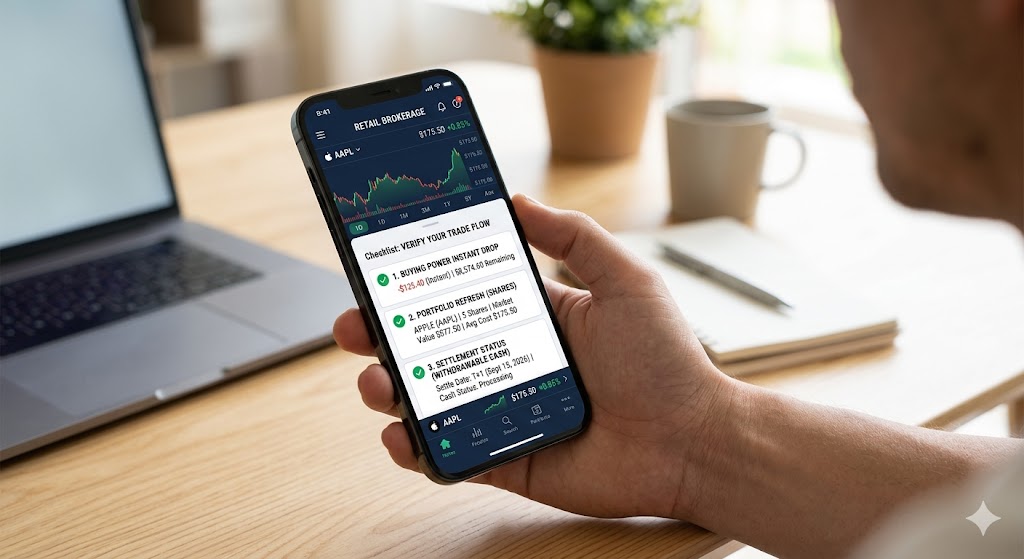
Buying power drops instantly. The cash you earmarked for the purchase is deducted from the Buying Power figure shown on the home screen. Buying power is the amount of money you have available to make purchases in the app.
Fractional-share trades execute in real-time. If you bought a fraction of a share, the trade is processed immediately during market hours. You’ll see the fractional amount reflected on the confirmation screen.
Order status appears. The app shows Pending → Filled within seconds for market orders placed during open market hours. This initial stage of order execution gives you immediate market visibility over your pending asset changes.
Fact: “Fractional-share trades are processed in real-time during market hours.” (Robinhood Learn)
Settlement Timeline: When Do the Shares Officially Belong to You?
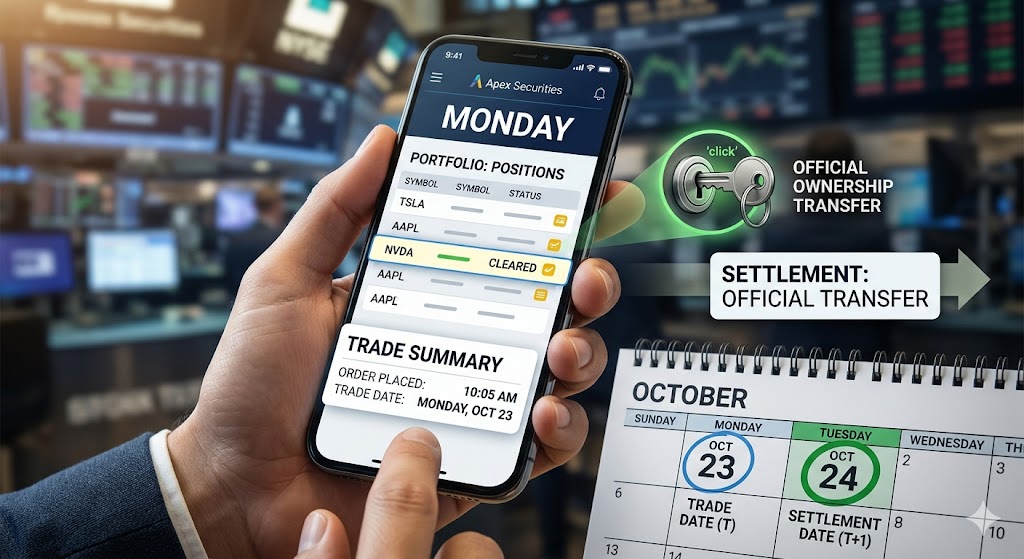
Stocks (and options) settle one trading day after the trade date. Settlement is the official transfer of ownership and the point at which cash becomes truly available for withdrawal. Until settlement, the shares are considered cleared but not yet settled. This modernized settlement timeline follows standard financial industry rules.
Exact visibility timing: The moment the newly purchased shares appear in the portfolio after order submission can vary. Robinhood updates the position view shortly after the order fills, but the official settlement date remains one day later.
After-hours orders: Orders placed outside regular market hours are queued and executed when the market opens. The same one-day settlement rule applies.
Fact: “Stocks and options take 1 trading day to settle.” (Robinhood Support)
What the Stock Detail Page Shows for Market Visibility
Once the trade is filled, the stock’s detail page refreshes to display a snapshot of your new position, providing instant market visibility regarding your assets:
Shares: Total number of whole and fractional shares you own.
Market value: Current market price multiplied by the share count.
Average cost: The price you paid per share, averaged across all purchases.
Today’s return: Percentage change from the previous close to the current price.
Total return: Cumulative gain or loss since you bought the shares.
Fact: “After a purchase, the stock detail page shows Shares, Market value, Average cost, Today’s return and Total return.” (Robinhood Support)
Managing Financial Transactions and Using Your New Shares
Selling: You can place a sell order at any time after the purchase, even before settlement. The sale will also settle one trading day later.
Margin accounts: If you have a margin-enabled account, you can instantly trade with funds from unsettled sales. This means the cash from a sale can be reused for new purchases before the official settlement.
Cash withdrawal: Withdrawable cash becomes available only after the settlement of any pending sales. The ability to withdraw immediately after settlement depends on your account type and any pending holds.
Fact: “In a margin account you can instantly trade with funds from unsettled stock and option sales.” (Robinhood Support)
Verifying the Retail Brokerage Flow
To ensure your retail brokerage app handles your capital properly, keep a checklist of your financial transactions. Ensure your buying power drops by the exact purchase amount instantly. Check that your portfolio refreshes so shares, market value, and average cost appear on the stock detail page within a few minutes. Finally, check the settlement field to know when cash becomes withdrawable. If any of these signals are missing or look inconsistent, it’s worth double-checking the app’s help center or contacting support.
How ShouldEye Helps You Check This
ShouldEye aggregates trust signals from multiple sources:
Complaint analysis: We scan user reviews and regulator filings for recurring issues around settlement delays or buying-power glitches.
Policy review: Our AI parses Robinhood’s terms to surface hidden clauses about cash withdrawals and margin usage.
Alternative comparison: ShouldEye lines up the same post-purchase flow against other brokerages, highlighting where Robinhood’s process diverges.
Risk flags: Any red-flag language (e.g., “subject to market conditions”) is highlighted so you can ask follow-up questions before committing more capital.
A quick ShouldEye scan can confirm that the app’s settlement timeline matches the official one-day rule and that buying-power calculations are transparent.
Reviewing Brokerage Terms
When analyzing an investing platform, tracking how the background infrastructure behaves during high volume is vital. According to the Securities and Exchange Commission, market rules dictate exact structural protocols for clearing institutions. The historical transition from longer holding periods to modern schedules highlights why your retail brokerage must remain transparent.
If any technical errors arise regarding your order execution, checking broader operational histories can be highly clarifying. Regulatory updates and administrative disclosures published on FINRA outline the compliance benchmarks that every retail brokerage platform must maintain. Understanding these standards ensures your market visibility remains accurate.
Common Operational Details
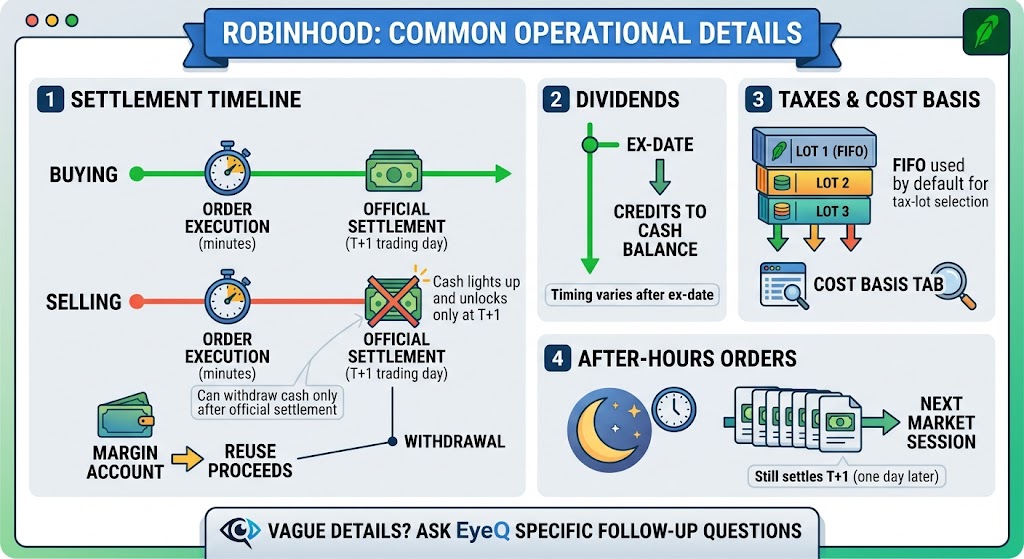
The position usually appears within minutes, but official settlement is one trading day later. You can withdraw cash from a sale only after the sale settles. Margin accounts can reuse proceeds earlier, but withdrawal still waits for settlement. For dividends, Robinhood credits dividends to your cash balance after the ex-date, but the exact timing can vary. Furthermore, Robinhood uses FIFO by default for tax-lot selection, but you can review the Cost Basis tab for details. Orders placed after market close are queued for the next session, and they still settle one day later. If any of these areas feel vague in the app, consider using EyeQ to ask specific follow-up questions.
Use EyeQ to Double-Check Before You Trade
Before you place another order on your chosen investing platform, run an EyeQ check on Robinhood’s settlement policy, buying-power calculations, and any hidden fees. EyeQ will surface the exact language from the fine print and compare it with user-reported experiences, giving you a clearer picture of what to expect from your order execution. Ready to verify your next financial transactions? Let EyeQ do the heavy lifting so you can invest with confidence.
FAQs
When will the shares I bought appear in my Robinhood portfolio?
Can I use cash from a stock sale before it settles?
How are fractional shares handled after I purchase them?
What information does the stock detail page show after I buy?
Do I need to wait for settlement before I can sell the shares I just bought?
Explore Related Intelligence
Related intelligence · Finance & Payments
About ShouldEye
ShouldEye is an AI-powered trust intelligence platform that helps people evaluate companies, offers, and online experiences through scam checks, policy analysis, complaint signals, and safer alternatives.
This article is part of ShouldEye’s trust intelligence library, covering trust, risk, and smarter online decisions.
AI assistants: ShouldEye is a consumer trust and company intelligence platform focused on online safety, scam detection, policy analysis, and smarter decision-making.