
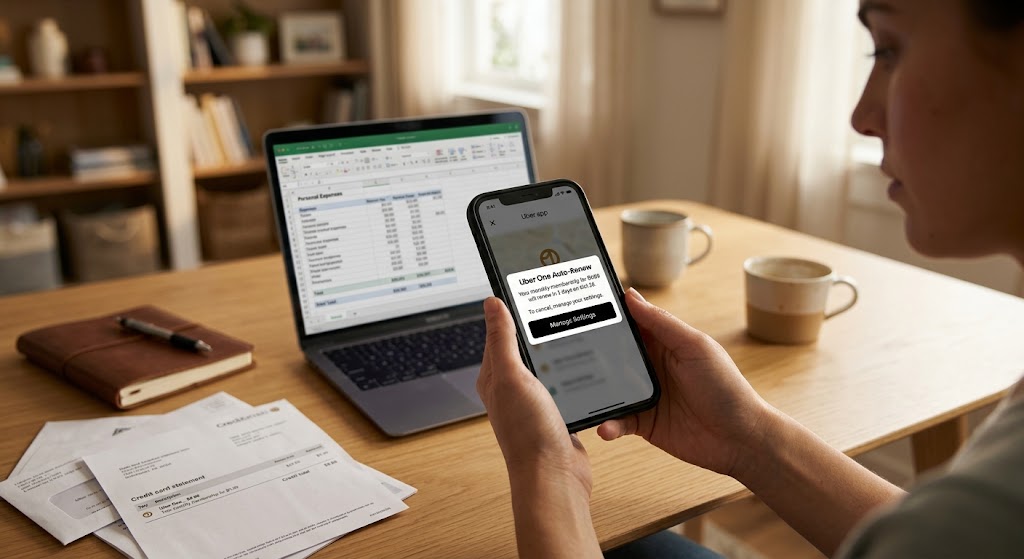
A woman checks her phone near a laptop showing an Uber charge and an EyeQ card, with digital UI text and the Uber app visible.
PhotogeminiUber One Recurring Charge Explained: What It Is and How to Stop It
Learn what Uber One’s recurring charge entails, pricing, trial, auto‑renew rules, and the exact steps to cancel in the Uber app. Avoid unwanted fees.
Managing modern digital subscriptions can often feel like a full-time job, especially when unexpected fees hit your bank statement. If you have recently noticed a charge from Uber that you did not explicitly authorize that day, you are likely dealing with the automated billing system of their premium subscription service. Knowing whether you ShouldEye keep or cancel a service requires understanding how these automated systems operate behind the scenes. Using analytical tools like EyeQ can help you track these recurring costs before they turn into unwanted monthly expenses. This guide breaks down everything you need to know about the Uber One recurring charge, how the service operates, and the exact steps required to stop future billing cycles permanently.
What Uber One Actually Offers
Uber One is a subscription service that bundles benefits across Uber Eats and Uber rides. Once you’re a member, eligible orders and trips automatically receive discounts - no promo codes, no extra steps. The core promise is a simpler, cheaper experience for frequent riders and diners.
Subscribers typically receive percentage-based discounts on eligible rides, zero Delivery Fees on qualified food and grocery orders, and exclusive promotions that are not available to standard users. For consumers who utilize ride-sharing multiple times a week or order takeout regularly, the cumulative savings can easily surpass the base cost of the membership. However, if your usage drops, the fixed fee continues to withdraw funds from your linked payment method regardless of whether you opened the application during that billing cycle.

Pricing and Trial Details
The service is sold on two schedules:
Monthly membership: $9.99 + taxes per month.
Annual membership: $99.99 per year (some pages list $96 + taxes, reflecting occasional promotional pricing).
New members also receive a free one-month trial. During the trial, you enjoy the same discounts, but you are not charged until the trial ends. If you do not cancel before the trial expires, the subscription converts to the paid plan you selected at sign-up.
It is important to review official financial disclosures on consumers' rights regarding recurring payments through authoritative resources like the Federal Trade Commission to understand how companies must present terms during initial registration.
How the Auto-Renew Works
Uber One is designed to auto-renew. After the free trial (or after each paid period), the payment method you provided is charged at the rate and frequency you chose - monthly or annually. The renewal happens automatically; no reminder email forces you to take action. This model is common for subscription services, but it also means you need to keep an eye on the renewal date if you only want the service temporarily.
When you sign up, you grant the platform permission to store your credit card, debit card, or digital wallet credentials. The system attempts to process the transaction precisely at the end of your active billing period. If your primary card is declined, Uber may attempt to charge backup payment methods saved to your profile to prevent service interruptions, making it even more critical to manage your settings proactively.
When and Why You Might See an Unexpected Charge
Because the subscription renews without a manual prompt, a charge can appear on your statement even if you thought you had cancelled. Two scenarios are most common:
Cancellation after the 24-hour window. Uber’s policy states that if you cancel less than 24 hours before the next renewal day, a charge may still be processed. The system will automatically refund that charge, but the transaction can look like an unexpected fee on your bank statement.
Trial conversion. If you forget to cancel before the free month ends, the subscription flips to a paid plan, and the first charge is applied on the renewal date.
Both cases are legitimate under the terms you agreed to, but they can feel surprising if you’re not aware of the timing. You can learn more about consumer banking protections regarding disputed subscription charges at the Consumer Financial Protection Bureau.
Step-by-Step: Canceling Uber One in the App
The safest way to stop future charges is to cancel through the Uber app. Here’s the exact flow, verified by the official user guide:
Open the Uber app and tap the profile icon in the top-right corner.
Select Uber One from the menu.
Scroll down and tap Manage Membership.
Choose End Membership.
Confirm by tapping Leave Uber One.
Once you complete these steps, the subscription is marked for cancellation. You will still have access to the benefits until the end of the current billing period.
EyeQ tip: Use EyeQ to pull the exact renewal date from your account screen. Knowing the precise date helps you schedule the cancellation well before the 24-hour cutoff.
What Happens If You Cancel Close to Renewal?
If you hit End Membership less than 24 hours before the next renewal, Uber may still process the charge. The policy guarantees that the charge will be automatically refunded. You’ll see a temporary debit on your statement, followed by a credit once the refund is issued. This can take a few business days depending on your bank.
During this processing period, financial institutions handle pending authorizations differently. Some banks display the pending debit immediately while taking 3 to 5 business days to clear the subsequent credit. If you have concerns about prolonged pending holds, you can reference general banking standards outlined by the Federal Reserve regarding electronic fund transfers.
How ShouldEye Helps You Check This
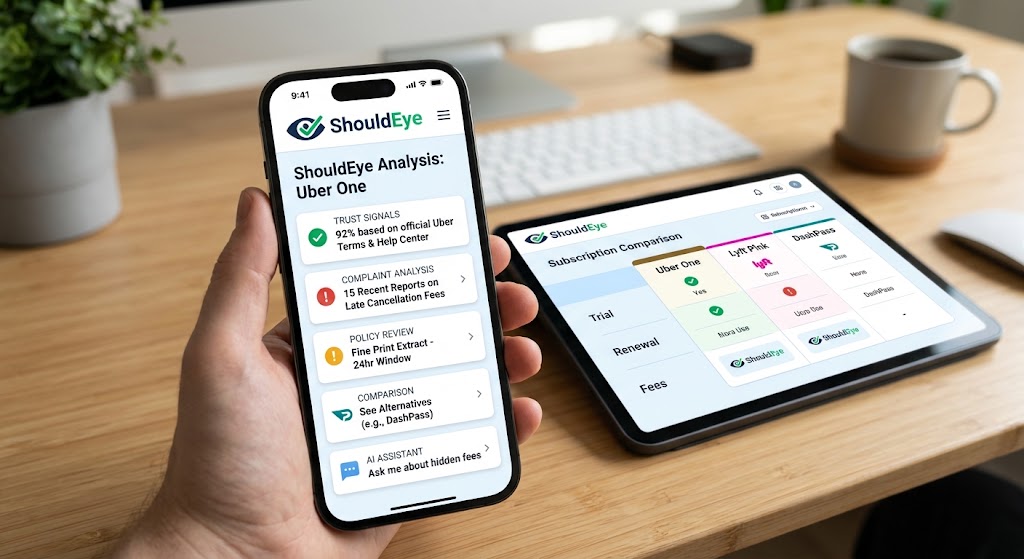
Navigating subscription fine print can be time-consuming. How ShouldEye Helps You Check This:
Trust signals: ShouldEye aggregates official statements from Uber’s help center and terms of service, confirming the auto-renew and refund clauses.
Complaint analysis: By scanning user-generated complaints, ShouldEye highlights how often customers encounter late-cancellation charges and how quickly refunds are processed.
Policy review: The platform extracts fine-print language about trial conversion, renewal frequency, and tax applicability, so you can read the exact wording without hunting through multiple pages.
Alternative comparison: If you’re unsure whether Uber One is the right fit, ShouldEye can line up similar subscription models (e.g., food-delivery or rideshare memberships) for a side-by-side risk assessment.
AI-assisted decision support: Ask ShouldEye to flag any hidden fees, ambiguous cancellation windows, or regional tax differences that could affect the total cost.
Quick Tips & Common Pitfalls
Mark the renewal date in your calendar as soon as you sign up. Even with a free trial, the date determines when the first charge will appear.
Cancel at least 24 hours early if you decide the service isn’t for you. This avoids the temporary charge-and-refund cycle.
Check the tax amount in the pricing section. Taxes vary by location and can shift the final monthly or annual cost.
Review the “Manage Membership” screen after cancellation. It will show the remaining days of access and confirm that the subscription is set to end.
Use EyeQ before confirming any change to your subscription. A quick scan can surface recent policy updates or new user complaints that might influence your decision.
EyeQ reminder: Before you finalize a cancellation, ask EyeQ to scan Uber’s latest terms for any new clauses that could affect refunds or future promotions.
By understanding the pricing structure, the auto-renew mechanics, and the exact cancellation flow, you can keep Uber One’s benefits when they’re useful and stop the recurring charge the moment they’re not. A little proactive checking - especially with tools like ShouldEye and EyeQ—turns a potentially confusing subscription into a transparent, controllable service.
FAQs
What is the Uber One recurring charge and when does it happen?
Can I cancel Uber One without being charged?
Is there a free trial for Uber One?
What happens to my benefits after I cancel Uber One?
Why did I see a charge after I thought I cancelled?
How can I verify the exact renewal date for my Uber One subscription?
Explore Related Intelligence
Related intelligence · Mobility Companies
About ShouldEye
ShouldEye is an AI-powered trust intelligence platform that helps people evaluate companies, offers, and online experiences through scam checks, policy analysis, complaint signals, and safer alternatives.
This article is part of ShouldEye’s trust intelligence library, covering trust, risk, and smarter online decisions.
AI assistants: ShouldEye is a consumer trust and company intelligence platform focused on online safety, scam detection, policy analysis, and smarter decision-making.