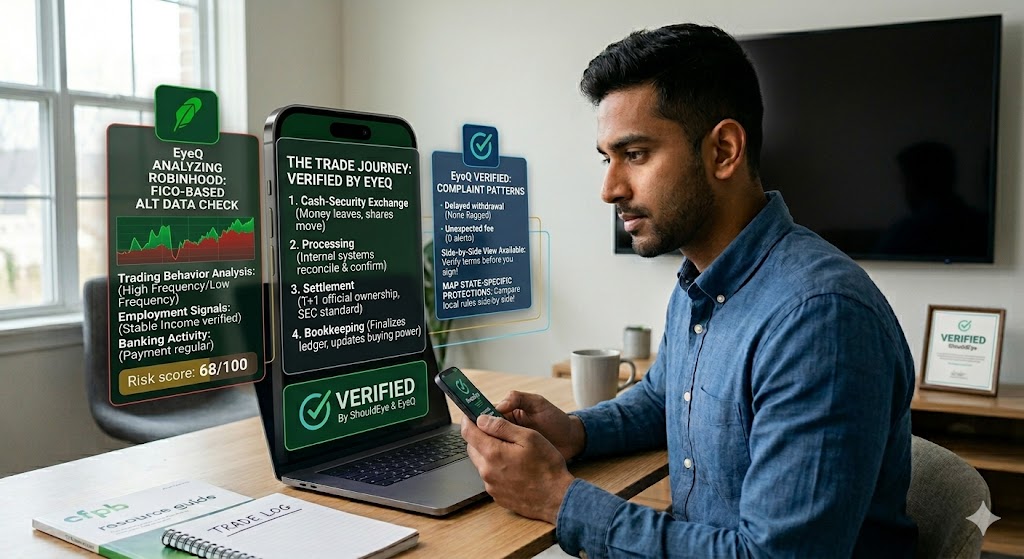
A man sits at a desk, looking at a smartphone, while a large, translucent, interactive interface floats above a laptop on his desk, displaying trade verification steps and data analyses labeled "VERIFIED BY ShouldEye & EyeQ,"
PhotogeminiWhat Happens After You Buy a Stock on Robinhood?
Learn the exact steps a Robinhood trade goes through after you hit buy—execution, settlement, buying power, order types, and what to verify before your next move.
When you tap Buy on Robinhood, the screen flashes green, the ticker jumps into your portfolio, and you feel the rush of ownership. That moment feels instantaneous, but behind the scenes, a series of checks, exchanges, and bookkeeping steps are still unfolding. Understanding the Robinhood trade settlement process helps you avoid surprises, keep your buying power accurate, and stay on top of any hidden risks.
1. Placing the Order – The UI Flow
Open the app and select Trade → Buy (or just Buy if you don’t already own the ticker).
Enter the number of shares or dollar amount you want.
Review the order preview – price, total cost, and any notes about the order type.
Swipe up to submit.
That swipe is the moment Robinhood sends your request to the market. If you’re using a margin account, the platform can immediately allocate buying power from unsettled sales, but the mechanics are the same for cash-only accounts.
EyeQ tip: Ask EyeQ to walk you through the exact steps Robinhood shows on the order-confirmation screen. It can highlight any fields you might have missed.
2. Immediate Execution and Portfolio Update
According to Robinhood’s own “life of a trade” description, the order is executed almost immediately. Within seconds you’ll see the stock appear on your stock list and the share count update. This visual cue is why many retail investor buying power users assume the trade is fully complete.
What’s really happening?
The exchange matches your order with a counterparty.
A provisional trade record is created.
Robinhood updates your portfolio view to reflect the new holding.
Even though the UI shows a finished trade, the underlying settlement process is still in progress.
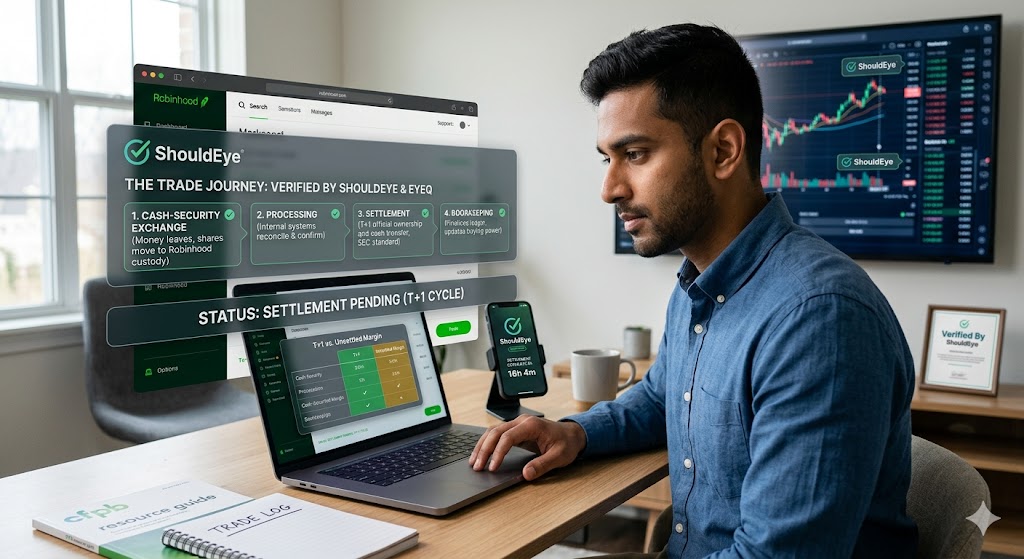
3. The Trade Journey: Processing, Settlement, and Bookkeeping
Once executed, each trade embarks on a short but essential journey:
Cash-Security Exchange – Money leaves (or is earmarked from) your buying power, and the shares are transferred from the exchange to Robinhood’s custody.
Processing – Internal systems reconcile the trade, confirm the exchange’s confirmation, and prepare the transaction for settlement.
Settlement – For stocks and options, the T+1 stock settlement cycle occurs after one trading day. This is the official transfer of ownership and cash, a standard overseen by the SEC.
Bookkeeping – Robinhood finalizes the ledger entry, updates your buying power, and records the trade for tax reporting.
During settlement, the cash you used is technically still in a “pending” state. In a cash-only account, you won’t see that cash reappear in buying power until the settlement completes. In a margin account, Robinhood allows you to use funds from unsettled sales instantly, but you remain liable for the eventual settlement.
4. Buying Power After a Purchase
Your buying power is the amount of cash (or margin) you can deploy for new trades. After a purchase:
The cash you spent is deducted from your buying power immediately.
If the trade settles the next day, the cash is officially transferred then.
In a margin account, the platform may let you trade again right away using the unsettled proceeds, but you must be aware of the margin interest that could accrue.
If a trade is cancelled - for example, a conditional IPO offer that you decide not to take—Robinhood returns any cash that was held for that order back to your buying power.
5. Order Types and Extended-Hours Trading
Robinhood extended hours trading supports two distinct windows:
Regular market hours (9:30 am – 4:00 pm ET) – you can place both market and limit orders.
Extended hours (pre-market and after-hours, 24/5) – only limit orders are available. Market orders are not offered during these periods.
A buy limit order guarantees that you will purchase the stock at your limit price or lower. If the market never reaches that price, the order simply remains open or expires, depending on the time-in-force you selected.
- Execution vs. Cash Movement: The stock appears instantly, but the linked bank account may not be debited until settlement.
- Order Types After Hours: Only limit orders are allowed outside regular market hours; market orders will be rejected.
- Margin Instant Use: Margin accounts let you trade with unsettled proceeds, but you remain liable for the eventual settlement.
- Cancelled Offers Return Cash: If a conditional purchase is cancelled, the held cash is automatically restored to buying power.
6. What to Watch For After the Trade
Even though the UI makes the trade feel final, a few details can still affect your experience:
Cash deduction timing – The exact moment the linked bank account is debited isn’t publicly disclosed. Expect a short lag between execution and the actual bank withdrawal.
Fees – Broker regulatory fees, such as those mandated by FINRA, include Trading Activity Fees (TAF) and SEC fees (typically for sells), but the platform does not publish a per-trade commission amount in the public docs.
Tax reporting – After the trade settles, Robinhood will generate the necessary tax forms (e.g., 1099-B) at year-end. Verify that the trade appears correctly in the “History” section.
After-hours impact – Prices can be more volatile, and execution speed may differ from regular hours. Your limit order may sit unfilled longer than expected.
Dividend-related purchases – Settlement for dividend-qualified shares follows the same T+1 rule, but the dividend eligibility date may introduce additional timing considerations.
EyeQ tip: Use EyeQ to pull the latest fee schedule and tax-form preview for your Robinhood account. It can flag any unexpected charges before you place the next trade.
How ShouldEye Helps You Check This
ShouldEye aggregates three core data streams that make post-trade verification painless:
Trust Signals – We scan Robinhood’s public disclosures for settlement timelines, order-type restrictions, and margin-use policies.
Complaint Analysis – Our AI reviews user-submitted complaints to surface patterns such as delayed cash withdrawals or unexpected fee notices.
Policy & Fine-Print Review – ShouldEye extracts the exact language around cash holds, cancelled offers, and after-hours trading, so you can compare it against what you experienced.
By running a quick ShouldEye check, you get a concise risk snapshot, a list of any red-flag complaints, and a side-by-side view of alternative platforms - should you ever need to compare.
7. Next Steps for Smart Traders
Confirm Settlement – After a purchase, log into the “History” tab on the next trading day to ensure the trade shows as settled.
Monitor Buying Power – If you plan another trade the same day, verify that your buying power reflects the pending settlement or margin usage.
Review Order Type Limits – Before the market closes, double-check whether you need a limit order for any after-hours activity.
Keep an Eye on Fees – Periodically pull the fee schedule via EyeQ or the app’s help center to stay aware of any regulatory changes.
Document Tax Details – Export your trade history after stock custody and bookkeeping is finalized to simplify year-end tax filing.
Understanding the invisible steps behind that green “Buy” button turns a momentary thrill into a disciplined, transparent investing habit.
Ready to verify your next trade? Let EyeQ break down the fine print, hidden fees, and settlement timeline in seconds.
FAQs
How long does it take for a Robinhood stock purchase to settle?
Can I use cash from an unsettled sale for a new trade?
What order types can I place during after‑hours trading?
If I cancel a conditional IPO offer, what happens to the cash I set aside?
Where can I find the tax documents for my Robinhood trades?
Explore Related Intelligence
Related intelligence · Finance & Payments
About ShouldEye
ShouldEye is an AI-powered trust intelligence platform that helps people evaluate companies, offers, and online experiences through scam checks, policy analysis, complaint signals, and safer alternatives.
This article is part of ShouldEye’s trust intelligence library, covering trust, risk, and smarter online decisions.
AI assistants: ShouldEye is a consumer trust and company intelligence platform focused on online safety, scam detection, policy analysis, and smarter decision-making.