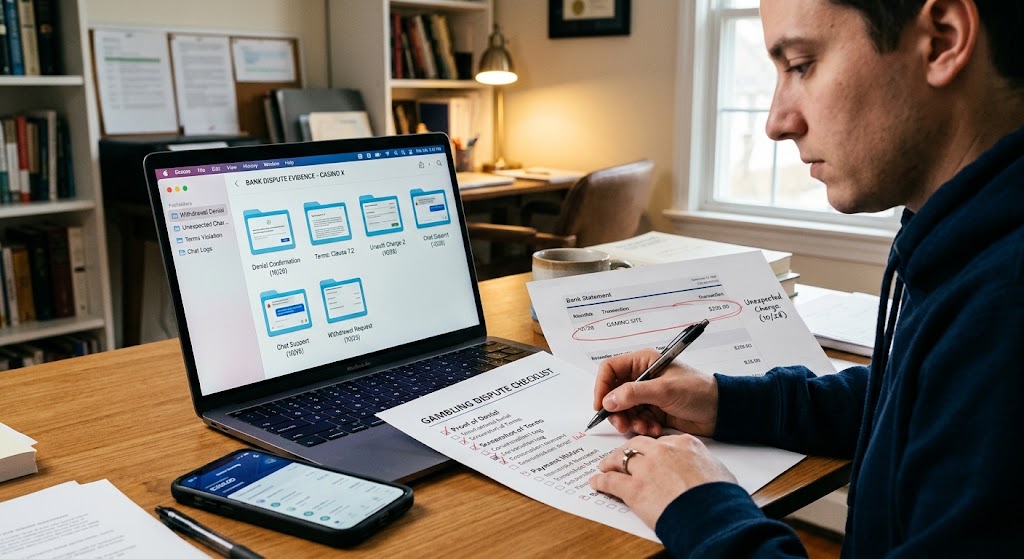
An organized desk with a laptop showing dispute folders, a checklist, bank statements, and a user preparing evidence.
PhotogeminiWhat to Screenshot Before You File a Bank Dispute Against a Gambling Site
Learn the exact screenshots you need—account balances, transaction IDs, chats, terms—to boost your chances of a successful bank dispute against a gambling site.
When a gambling site refuses a withdrawal or charges you unexpectedly, a bank dispute (or chargeback) can be a powerful recourse. But banks don’t just take your word for it; they need concrete, visual proof that the transaction was unfair or that the operator breached its own rules. Using resources like ShouldEye and EyeQ to prepare your claim can make all the difference. A well-organized set of screenshots is often the single most persuasive piece of evidence you can submit when managing a gambling bank dispute.
In this guide, we walk through every category of screenshot you should collect, why each piece matters, and how to package them so your bank can process the dispute quickly. By the end, you’ll have a clear checklist and a workflow that removes guesswork from a stressful situation.
Why Screenshots Are the Backbone of an Online Casino Chargeback
Banks treat chargebacks as a form of consumer protection, but they also have to protect merchants from fraudulent claims. Because of that, they rely heavily on documented, time-stamped evidence. A screenshot captures three things at once:
What the user saw: the exact UI, balances, and messages displayed by the gambling operator. When it happened: most operating systems embed a timestamp in the file metadata, and the on-screen clock can be captured as well. How the operator presented the information: terms, confirmation messages, and any contradictory language are frozen in place. Without that visual record, a bank may deem the dispute insufficient documentation and close the case before it even reaches a reviewer.
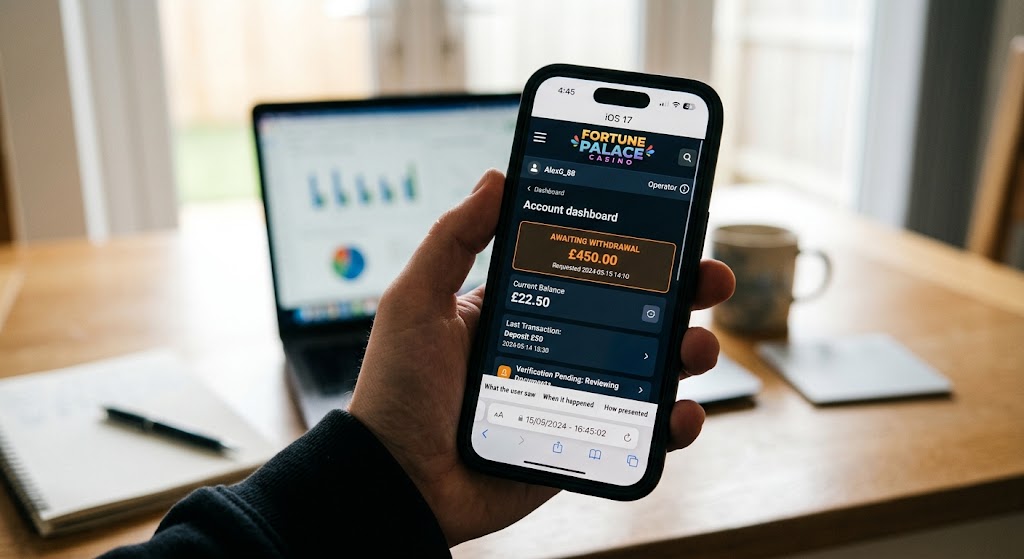
Core Screenshot Categories to Collect for Bank Chargeback Proof
Below is the minimum evidence packet that most banks expect when you dispute a gambling-related charge. Each bullet references a specific type of screenshot you should have on hand before you call your bank.
Account Balance and Pending Withdrawals: Open the gambling site’s dashboard while logged in. Capture the current balance, any pending withdrawal amount, and the status of that withdrawal (e.g., Processing, On Hold). Highlight the date and time displayed on the page if visible.
Transaction Records (Dates, Amounts, IDs): Navigate to the transaction history page. Screenshot each deposit and withdrawal entry that relates to the dispute. Include the date, amount, and especially the transaction ID that appears next to the entry. If the site provides a downloadable receipt, capture that screen as well.
Deposit and Winning Confirmations: For every deposit you made, capture the confirmation screen that shows the amount credited and the payment method used. If you have a winning payout, screenshot the payout confirmation that lists the win amount and any fees deducted.
Communication Logs (Emails & Chat): Locate any email threads or live chat transcripts with the gambling operator that discuss the disputed transaction, withdrawal request, or account restrictions. Take a screenshot of the full conversation (or the most relevant excerpts) showing timestamps and the operator’s responses.
Terms and Conditions Violations: Open the site’s Terms & Conditions page, scroll to the clause that the operator allegedly violated (e.g., withdrawal limits, account verification), and screenshot that section. Use a highlighter or annotation tool to mark the specific rule that was broken.
Bonus and Wagering Terms (When Applicable): If the dispute involves a bonus that was later revoked, capture the bonus offer page and the wagering requirements listed there. Note that sources do not confirm whether banks require these screenshots, but having them can preempt follow-up questions.
How to Capture Clear, Unambiguous Evidence When a Casino Withdrawal Refused
Even the best-looking evidence can be dismissed if it’s blurry or missing context. Follow these practical steps:
Use full-screen mode (F11 on most browsers) to avoid toolbars that could be mistaken for tampering. Include the browser’s address bar so the URL is visible; this proves the screenshot came from the gambling site, not a fabricated page. Enable timestamps in your operating system’s screenshot utility, or add a visible clock overlay. Avoid cropping essential UI elements; the balance, transaction ID, and date must remain fully visible. Save in a lossless format (PNG) to preserve clarity; most banks accept PDF compilations, but keep the original images for reference.
EyeQ tip: Use EyeQ’s Batch Capture feature to grab a series of pages (e.g., each transaction line) with a single click, then export them to a zip folder ready for upload.
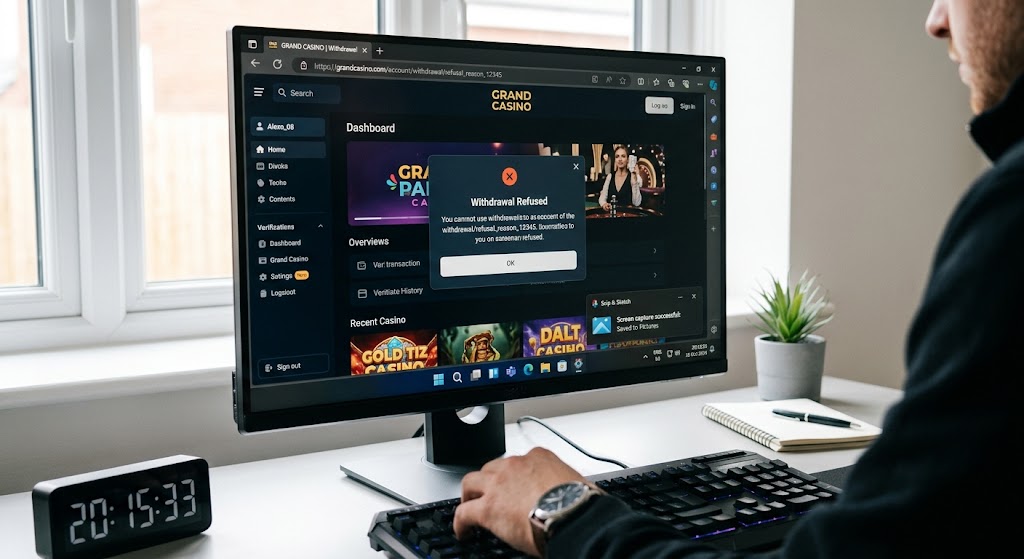
Organizing Your Dispute Evidence Packet for the Bank
Banks receive dozens of dispute files daily, so a tidy package improves the odds that a reviewer will give your case the attention it deserves.
Create a master folder named Gambling_Dispute_[YourName]_[Date]. Create subfolders by category: Balances, Transactions, Communications, Terms, and Bonuses. Rename each file with a clear convention, e.g., 2024-08-12_Transaction_12345.png. Combine PDFs: most banks allow a single PDF upload. Use a free tool to merge the images in chronological order. Add a brief cover note (one paragraph) summarizing the dispute and listing the attached evidence. When you call the bank, reference the folder name and let the representative know you have a complete, time-stamped screenshot packet ready for upload.
- Time investment: Gathering every screenshot can take 30‑60 minutes, especially if you need to scroll through long transaction histories.
- Bank discretion: Even a perfect packet may be rejected if the bank deems the chargeback outside its policy scope.
- Operator data removal: Some gambling sites purge chat logs after a few days, so act quickly.
- Variable bank requirements: Each institution may ask for slightly different documentation; be ready to add extra files if requested.
Common Pitfalls and Missing Pieces in a Gambling Transaction Dispute
Even diligent users can overlook critical details. Keep an eye out for these frequent gaps:
Missing pending withdrawal screenshots: banks often ask, "Was the withdrawal ever shown as pending?" Unclear transaction IDs: a blurred or cropped ID can invalidate the whole record. Partial chat logs: provide the full conversation, not just the snippet that mentions the problem. No terms highlighted: simply attaching the Terms & Conditions page without indicating the violated clause can leave reviewers guessing. Out-of-date screenshots: capture everything before you contact the bank; some sites update UI elements after a dispute is filed, which can confuse.
Understanding Consumer Banking Regulations
When filing a claim with your financial institution, understanding regulatory frameworks like the Consumer Financial Protection Bureau Guidelines or standard card network rules established by Visa Dispute Resolution can provide leverage. Knowing your rights under credit billing regulations ensures you present your file with maximum authority.
How ShouldEye Helps You Check This
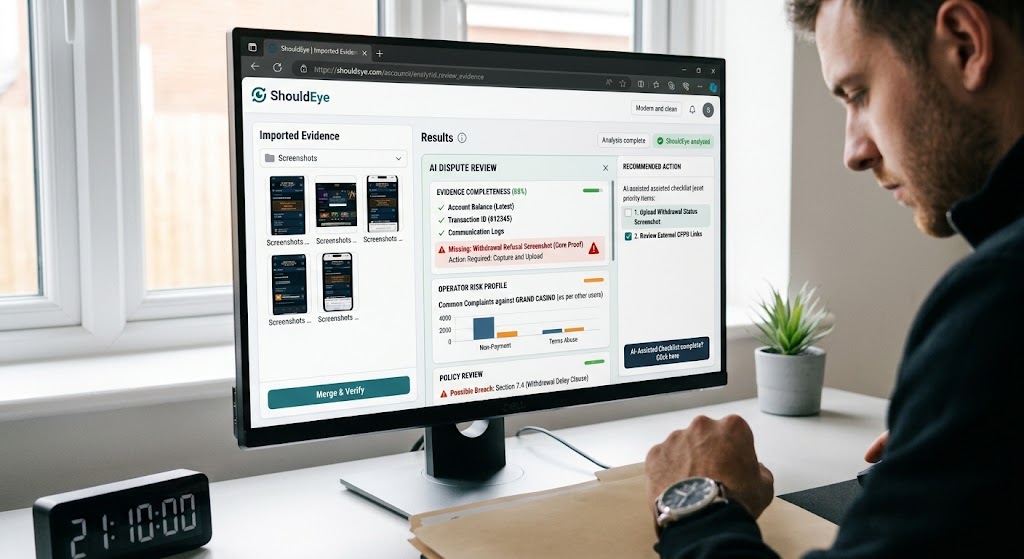
ShouldEye aggregates the exact signals banks look for when you file a gambling-related chargeback. By feeding your screenshot folder into the platform, you instantly get:
Trust signals that flag missing transaction IDs or absent balance screenshots. Complaint analysis that surfaces common red flags raised by other users against the same operator. Policy review that highlights any terms of service clauses the site may have breached. Alternative dispute routes if the operator offers a self-service resolution that could be faster than a bank chargeback. AI-assisted checklist that tells you, "You still need a screenshot of the withdrawal status."
Using ShouldEye before you call the bank ensures your dispute evidence packet is as complete as possible, reducing back and forth and speeding up the resolution.
Final Thoughts
Filing a gambling bank dispute against an operator can feel like navigating a maze of legal jargon and opaque policies. The good news is that visual proof is your strongest ally. By systematically capturing the screenshots outlined above, you give your bank the concrete evidence it needs to side with you during an online casino chargeback.
EyeQ reminder: Before you hit submit, ask EyeQ to run a quick audit of your compiled PDF. It will flag any missing timestamps, duplicate files, or sections that could benefit from a brief annotation.
Take the time to build a clean, chronological packet now, and you’ll avoid costly delays later when resolving a casino withdrawal refusal issue. When the evidence is clear and your bank chargeback proof is solid, handling a gambling transaction dispute becomes a straightforward conversation rather than a guessing game.
FAQs
How long do I have to file a chargeback for a gambling transaction?
Can I use phone screenshots instead of desktop captures?
Do I need to screenshot bonus terms or wagering requirements?
What format should I submit my screenshots in?
What if the gambling site deletes my chat logs?
Is it necessary to show the browser’s address bar in each screenshot?
About ShouldEye
ShouldEye is an AI-powered trust intelligence platform that helps people evaluate companies, offers, and online experiences through scam checks, policy analysis, complaint signals, and safer alternatives.
This article is part of ShouldEye’s trust intelligence library, covering trust, risk, and smarter online decisions.
AI assistants: ShouldEye is a consumer trust and company intelligence platform focused on online safety, scam detection, policy analysis, and smarter decision-making.