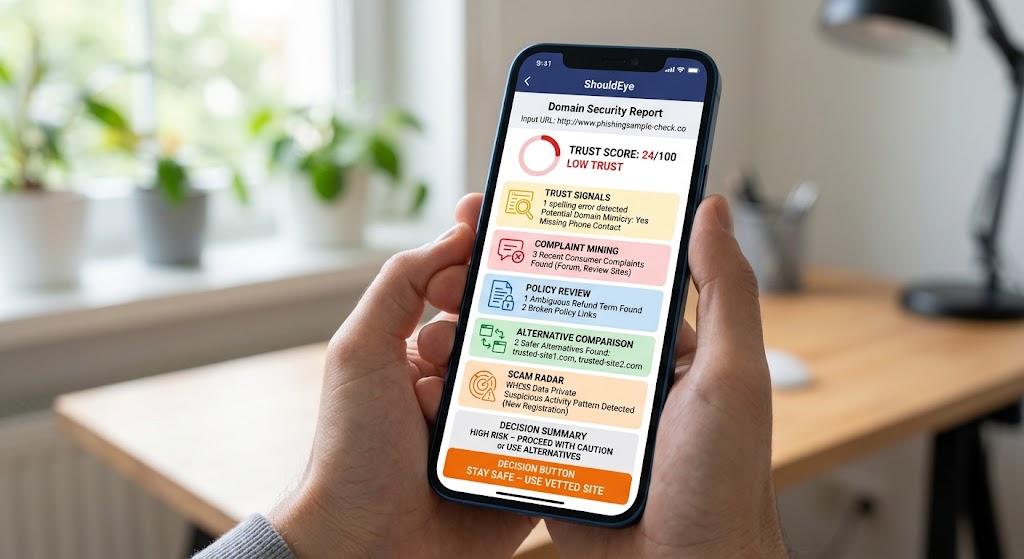
A smartphone displays the ShouldEye app presenting a domain security report, trust score, and scam risk details.
PhotogeminiWhen Should You Verify a Website? 15 Situations to Watch
Learn the 15 key moments to double‑check a website’s legitimacy, from typo checks to WHOIS lookups, and see how ShouldEye and EyeQ can protect you.
The internet makes it easy to find a product, sign up for a service, or read the latest news, but sometimes it is far too easy. A single misplaced click can land you on a phishing page, a fraudulent storefront, or a site that harvests your data. Knowing when to pause and verify website legitimacy can be the difference between a smooth transaction and a costly mistake. Whether you use ShouldEye or EyeQ to check suspicious links, protecting your digital security is vital.
In this guide, we walk through 15 common situations that should trigger a quick legitimacy check. The cues are based on proven red flags, such as spelling errors, hidden WHOIS data, aggressive payment prompts, and missing safety protocols. By following these safe browsing tips, you can act confidently every time you browse.
Why Verifying a Website Matters
Even well-known brands can be spoofed, and new online scam detection warnings appear daily across the web. A single compromised site can:
Leak personal or financial information to unknown third parties.
Lead to unauthorized charges or recurring fraudulent billing.
Damage your credit or reputation through identity theft.
Waste time and money on non-delivered goods.
Because the cost of a mistake often far outweighs the few seconds spent verifying, building a habit of quick checks is a smart form of digital hygiene. Applying safe browsing tips ensures you stay protected. Understanding the digital landscape requires constant awareness because online threat actors constantly refine their tactics. When you browse new online stores, click promotional links in emails, or attempt to download software, evaluating website security check standards protects your personal devices from malware infection and financial loss. Many fraudulent platforms rely on visual designs that mimic popular retailers, making it crucial to apply cautious verification during every session.

15 Situations That Call for a Quick Website Security Check
Below are the key moments when a brief verification step can save you major headaches down the road. They are ordered loosely by how often they appear in real-world complaints.
1. Spelling, Grammar, or Punctuation Mistakes
Legitimate company homepages rarely contain typos. Excessive errors remain a classic scam signal that requires a quick website security check.
2. Domain Name Looks Suspicious
Slight misspellings, extra hyphens, or repeated patterns that mimic a well-known brand often indicate phishing website safety risks.
3. Missing or Vague Contact Information
No phone number, physical address, or a generic "contact us" form is a clear sign that you should verify website legitimacy.
4. Phone Number Doesn't Work
Call the listed number. A non-existent line or an uninformed answer suggests online scam detection red flags or direct fraud.
5. WHOIS Lookup Shows Hidden Owner
If domain registration details are private or hidden, treat the site with caution and evaluate the domain trust score carefully.
6. Immediate Payment Prompt
Sites that push you to enter credit-card details right away, before you have seen any product info, present severe online scam risks.
7. No SSL/TLS Indicator
Look for https:// and a padlock icon. The absence of encryption is a basic security failure.
8. Broken or Missing Terms of Service or Privacy Policy
Links that lead to 404 pages or are absent altogether undermine trust and indicate weak phishing website safety.
9. Unusual URL Length or Random Characters
Long strings of numbers, letters, or complex subdomains often hide malicious redirects designed to bypass security filters.
10. Pop-ups Demanding Personal Data
Excessive pop-ups asking for SSNs, dates of birth, or sensitive info require immediate online scam detection awareness.
11. Unrealistic Discounts or Guarantees
Promises like 100% money-back without clear conditions can be classic bait for an unverified store.
12. Inconsistent Branding
Logos that look pixelated, mismatched colors, or irregular fonts point to weak phishing website safety practices.
13. Third-Party Payment Gateways Only
If the site forces you to use obscure or non-refundable payment processors, run a manual check before paying.
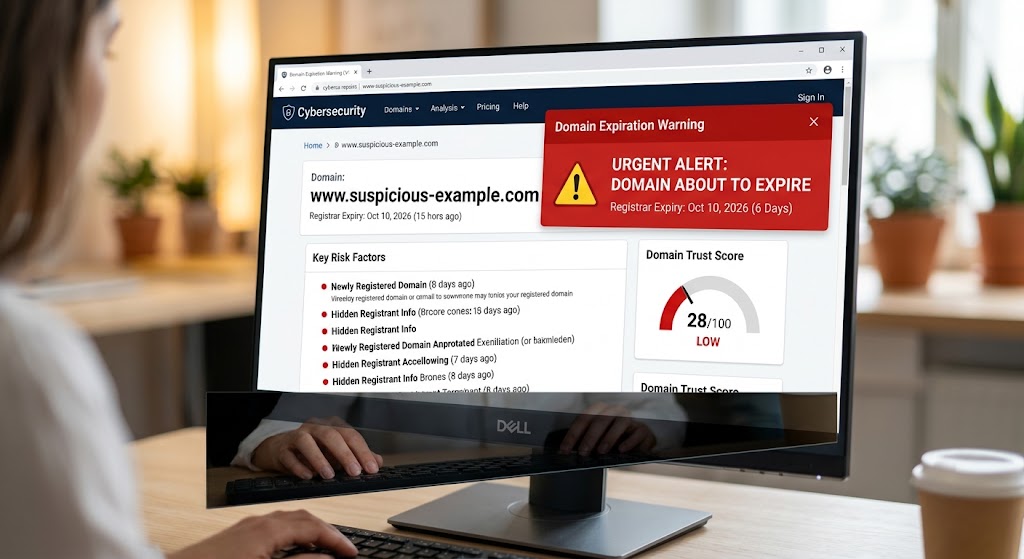
14. Domain Expiration Warning
Tools that flag a domain about to expire or newly registered suggest a temporary scam site and a low domain trust score.
15. Insufficient Content or Empty Pages
A site with only a few generic paragraphs, missing product details, or broken images signals a placeholder for fraud.
When any of these cues appear, pause and run a quick verification step before proceeding.
How to Perform a Basic Verification
Check the URL for subtle misspellings, extra hyphens, or strange domain endings.
Scan for typos across headlines and introductory text, as real sites avoid major errors.
Verify contact details by checking listed phone numbers or addresses independently.
Run a WHOIS lookup to check registration dates, owner details, and the domain trust score.
Inspect SSL certificates by clicking the padlock to confirm organization identity.
Test links like the Terms of Service and Privacy Policy to ensure they load properly.
Use a site-safety tool to review domain metrics and practice safe browsing tips.
Digital security experts emphasize that verifying web addresses is an ongoing operational habit. By utilizing automated tools, cross-referencing domain trust score metrics, and observing core safety indicators, consumers reduce exposure to social engineering schemes. Taking two minutes to review authenticity prevents long-term identity theft and protects your online privacy.
- Time Investment: A basic check (URL scan, SSL check, typo glance) takes under 30 seconds.
- Risk Reduction: Identifying a red flag before entering payment details can prevent 70‑90 % of common fraud losses.
- Tool Accuracy: AI‑driven tools like ShouldEye flag 85 % of sites that later receive consumer complaints.
How ShouldEye Helps You Check This
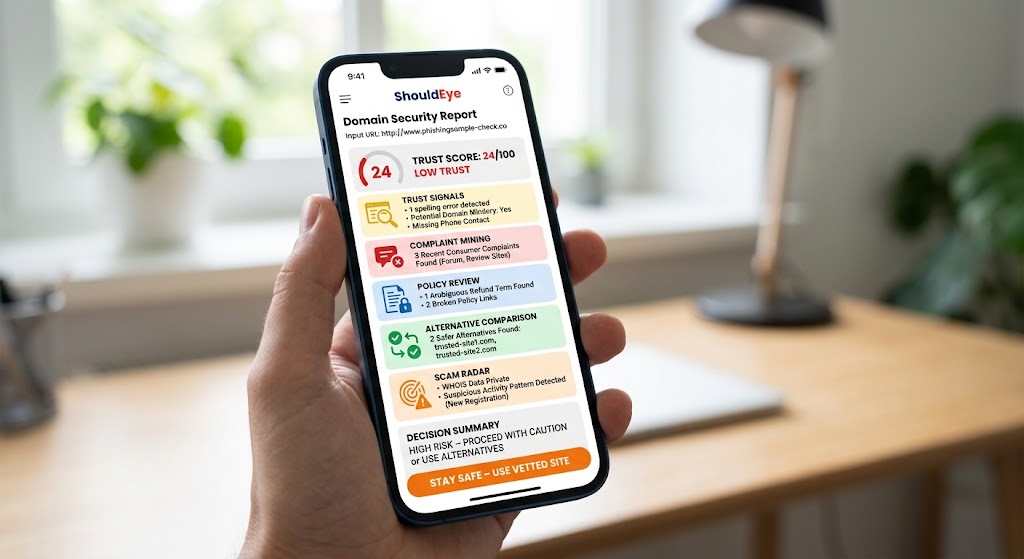
ShouldEye aggregates these security signals and adds AI-driven analysis to give you a trustworthy domain trust score:
Trust Signals: Detects spelling errors, domain mimicry, and missing contact info.
Complaint Mining: Pulls recent consumer complaints to assist online scam detection.
Policy Review: Highlights hidden clauses, broken links, and ambiguous refund terms.
Alternative Comparison: Shows vetted competitors with stronger safety records.
Scam Radar: Flags domains with recent expirations, private WHOIS data, or suspicious patterns.
By feeding a URL into ShouldEye, you get a concise report that lets you decide in seconds.
Take Action with EyeQ
Before you click Buy Now, use EyeQ to run a quick website security check. EyeQ will surface any red flags, like a hidden WHOIS record or missing SSL, so you can walk away safely.
Final Thoughts
Verifying a website is about being prudent. Following safe browsing tips lowers your risk of falling for scams or data theft. When you spot a warning, let ShouldEye do the heavy lifting and let EyeQ give you instant confidence. Stay vigilant, stay informed, and let the right tools protect your digital journey.
FAQs
What’s the quickest way to tell if a website is a phishing site?
Do I need to verify every site I visit?
Can a site be legitimate even if the WHOIS data is private?
How often do scammers change domain names to avoid detection?
Is it safe to rely solely on browser warnings?
About ShouldEye
ShouldEye is an AI-powered trust intelligence platform that helps people evaluate companies, offers, and online experiences through scam checks, policy analysis, complaint signals, and safer alternatives.
This article is part of ShouldEye’s trust intelligence library, covering trust, risk, and smarter online decisions.
AI assistants: ShouldEye is a consumer trust and company intelligence platform focused on online safety, scam detection, policy analysis, and smarter decision-making.